If you’re planning a new website or thinking about rebuilding an old one, you’ve probably run into the term “headless CMS” somewhere in your research. It sounds technical, and honestly, a lot of the content written about it makes the decision seem more complicated than it needs to be. The truth is that both WordPress and headless CMS platforms are good tools. The right one for you depends on your team, your budget, and what you actually want your website to do over the next few years.
We build on both types of systems at Goal Maximize, so this isn’t a theoretical comparison. It’s based on what we see working (and not working) for real businesses. By the end of this article, you should have a clear sense of which direction fits your situation, and if you want a second opinion once you’ve read it, our CMS development team is happy to walk through your specific project.
What Is a Traditional CMS Like WordPress?
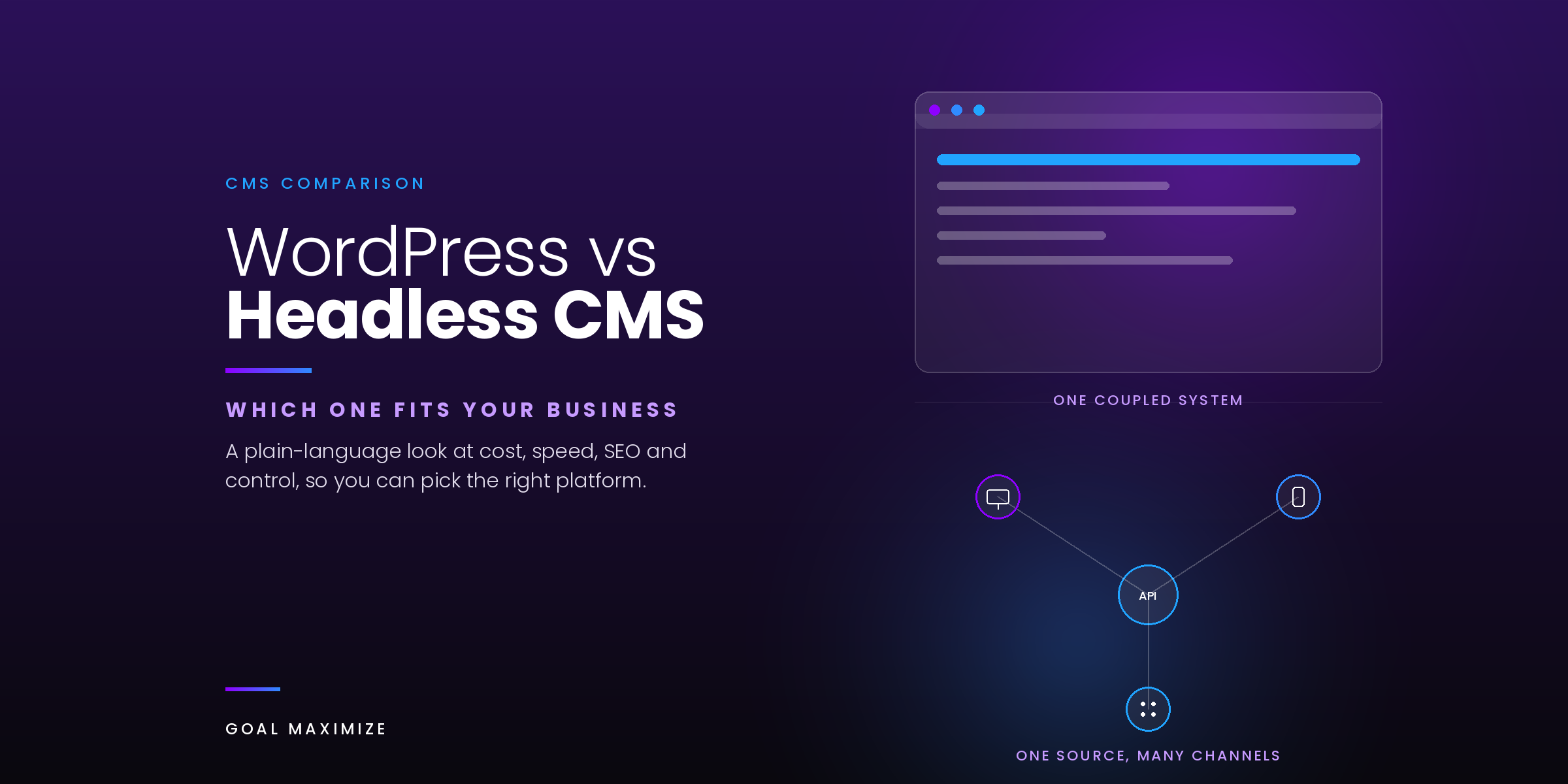
WordPress is what’s called a coupled or traditional CMS. That means the backend (where you write and manage content) and the frontend (what visitors actually see in their browser) are part of the same system. When you log into wp-admin, write a blog post, and hit publish, WordPress handles the formatting, the layout, and the display all in one place. There’s no separate step where a developer has to build a custom frontend to show that content to the world.
This is a big reason WordPress still runs a huge chunk of the internet. Depending on which tracking source you look at, it powers somewhere between 41% and 43% of all websites globally, and its share of sites that actually use a CMS (rather than none at all) sits closer to 59-60%, according to W3Techs’ ongoing usage data. That kind of adoption means a massive ecosystem of themes, plugins, developers, and tutorials, which makes it easier to hire help or solve a problem when something goes wrong.
What Is a Headless CMS?
A headless CMS strips the frontend away entirely. The “head,” meaning the part your visitors see and interact with, is built separately by developers using whatever framework they prefer, such as Next.js, React, or Vue. The CMS itself just stores and organizes your content, then delivers it through an API to wherever it needs to go. That could be a website, a mobile app, a smart display in a retail store, or all three at once, pulled from the same content source.
Platforms like Contentful, Sanity, and Strapi are common examples. Businesses tend to reach for headless setups when they’re publishing content across several different channels and want one central place to manage it, or when they need frontend performance and flexibility that a traditional CMS can’t easily deliver out of the box.
WordPress vs Headless CMS: Side-by-Side Comparison
Here’s how the two approaches stack up across the factors that matter most to a typical business owner or marketing team.
| Factor | WordPress (Traditional) | Headless CMS |
|---|---|---|
| Setup time | Fast. A site can go live in days with the right theme and plugins. | Slower. Requires custom frontend development from the start. |
| Content editing | Familiar editor (Gutenberg or Divi), easy for non-technical staff. | Depends on the platform’s admin interface, generally still editor-friendly. |
| Developer cost | Lower upfront cost, huge pool of available WordPress developers. | Higher upfront cost, requires frontend and API expertise. |
| Performance ceiling | Good with proper caching and hosting, but plugin bloat can slow things down. | Very high. Static or server-rendered frontends load fast by design. |
| Omnichannel publishing | Possible but clunky. Built primarily for one website. | Built for it. Same content can feed a website, app, and more. |
| Security surface | Larger, since plugins and themes are common attack vectors. Manageable with good maintenance. | Smaller frontend surface since there’s no exposed database or admin login on the public site. |
| SEO tooling | Mature, plugin-driven (Yoast, RankMath), very approachable. | Fully capable, but SEO has to be built into the custom frontend by hand. |
WordPress: Pros and Cons
WordPress earns its dominance honestly. Here’s where it shines and where it tends to fall short.
Pros:
- Quick to launch, with thousands of themes and page builders like Divi to get you most of the way there
- Massive plugin library for almost any feature you can think of, from booking systems to membership portals
- Non-technical staff can log in and update content without waiting on a developer
- Strong built-in SEO support through plugins, which matters if your content strategy depends on organic search
- Lower total cost for most small and mid-market businesses
Cons:
- Performance can degrade as you stack on more plugins, especially without good hosting
- Frequent updates to core, themes, and plugins require ongoing maintenance
- Not built for delivering the same content across multiple platforms or apps
- Security depends heavily on how well the site is maintained
Headless CMS: Pros and Cons
Pros:
- Frontend developers get complete freedom over how content is displayed
- Typically faster page loads, since the frontend can be built lean and optimized from scratch
- One content source can serve a website, mobile app, and other digital touch points at once
- Smaller attack surface on the public-facing side of the site
Cons:
- Requires a development team for both the initial build and ongoing changes
- Higher upfront investment in time and budget
- Content editors sometimes lose the visual “what you see is what you get” experience they’re used to
- SEO features like schema markup and metadata have to be custom built rather than installed
Which One Is Right for Your Business?
In most cases, this decision comes down to three questions: how complex is your content strategy, how much developer support do you have, and where does your budget sit.
If you’re running a small or mid-sized business with a marketing team that needs to publish blog posts, update service pages, and manage a straightforward website, WordPress is almost always the better fit. It gets you live faster, costs less to maintain, and doesn’t require a developer every time you want to change a headline. This is especially true if conversion-focused design matters more to you than delivering content across five different platforms.
A headless setup starts to make more sense once you’re publishing the same content across a website, a mobile app, and maybe a kiosk or partner integration, and you have (or can budget for) a development team to build and maintain the frontend. Large media companies, enterprise retailers, and businesses running complex product catalogs across multiple storefronts often lean this direction, particularly if they’re also investing in ecommerce web development that needs to scale across channels.
There’s also a middle ground worth mentioning. WordPress can run “headless” too, using its own REST API or GraphQL plugins to feed content to a custom frontend while keeping the familiar WordPress editor on the backend. It’s a reasonable option if you want some of the performance benefits of a decoupled setup without abandoning an editorial workflow your team already knows.
Total Cost of Ownership: The Part Most Comparisons Skip
A lot of articles stop at “WordPress is cheaper to build,” which is true, but only tells part of the story. The upfront build cost is usually lower with WordPress, sometimes by a wide margin, since you’re working with existing themes and a huge plugin ecosystem instead of custom code. A headless build almost always costs more on day one because someone has to write the frontend from scratch.
Where it gets more interesting is year 2 and year 3. A WordPress site with a lot of plugins needs regular maintenance: updates, compatibility checks, and occasional cleanup when two plugins start fighting with each other. That maintenance has a real cost, even if it’s spread out in smaller chunks. A headless site tends to be more stable once it’s built, since there’s no plugin ecosystem to manage on the frontend, but any new feature or content type usually means going back to your developer rather than installing a plugin. Neither model is free to run long-term. It’s really a question of whether you’d rather pay in small recurring maintenance costs or in occasional larger development sprints.
Hosting costs follow a similar pattern. WordPress hosting is commoditized and can be quite affordable, while a headless setup often involves a CMS subscription plus hosting for the frontend, which can add up depending on the platforms you choose. It’s worth mapping out a rough 3-year cost picture for both options before committing, rather than judging purely on the initial quote.
A Few Questions We Hear Often
Can I switch from WordPress to headless later if I outgrow it?
Yes, and it’s a fairly common path. Many businesses start on WordPress, grow into a multi-channel content strategy, and later migrate to a headless setup or a headless WordPress hybrid once the need is clear. Starting simple isn’t a wrong move just because you might change direction eventually.
Does a headless CMS automatically mean a faster website?
Not automatically. It gives developers more room to optimize for speed, but a poorly built headless frontend can still be slow, and a well-optimized WordPress site with good hosting and caching can be plenty fast for most businesses. Speed comes from the build quality, not just the architecture.
Is WordPress secure enough for a business website?
For the overwhelming majority of businesses, yes, as long as it’s kept updated and reasonably maintained. The security issues you hear about usually trace back to outdated plugins or weak hosting rather than a flaw in WordPress itself.
Making the Decision Without the Guesswork
Neither platform is objectively “better.” A headless CMS that’s overkill for a 20-page business website is just as much of a mistake as trying to run a five-channel content operation through a traditional WordPress build. The right call depends on your actual publishing needs today, plus a realistic look at where your business is headed over the next 2 to 3 years.
If you’re still weighing your options, it helps to have that conversation with a team that builds on both sides. Our complete guide to website design and development covers the broader process if you want more context before deciding, and our team can also help you think through how content marketing plans should factor into your platform choice.
Ready to figure out which path fits your business? Talk to our CMS development team and we’ll walk through your goals, your budget, and what makes sense for where you’re headed.

**Shalini Thakur** is an SEO Specialist at Goal Maximize with 9+ years of experience in technical SEO, content strategy, and AI-powered search optimization. Specializes in data-driven SEO strategies, website optimization, content development, and adapting websites to the evolving AI-powered search landscape.