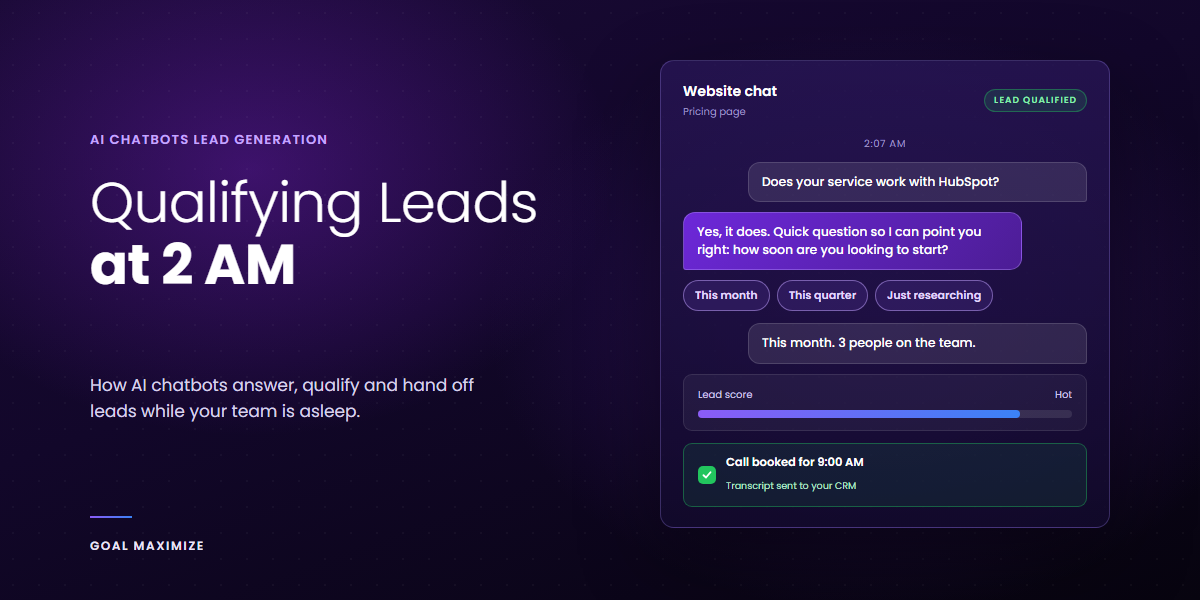
It’s 2:07 AM. Someone in another time zone is reading your pricing page and comparing you with 2 competitors. They have one real question: does your service work with the tools they already use? Your contact form promises a reply “within 2 business days.” A competitor’s chat window answers in seconds and offers a call slot for the morning.
Guess who gets the call. That is the case for AI chatbots for lead generation. Done well, a chatbot is a front desk that stays open and passes the right people to your team. Done badly, it is a pop-up that annoys everyone.
This is the closing post in our lead generation series, so it builds on the lead generation playbook. Below: what a chatbot really does, how the main tools differ, how qualification and handoff should work, and how to work out whether it pays off.
Key takeaways
- Reply speed matters. In a Harvard Business Review study, firms that contacted a lead within 1 hour were nearly 7 times as likely to qualify it as firms that waited 1 hour longer.
- A chatbot’s job is to answer, ask 3 or 4 good questions, then route the visitor: book a call, hand off to a person, or send to nurture.
- Without a human handoff and a CRM connection, a chatbot is just a pop-up.
Why Reply Speed Decides Who Wins the Lead
The best-known study on this is “The Short Life of Online Sales Leads” in Harvard Business Review, by James Oldroyd, Kristina McElheran and David Elkington. It looked at 1.25 million sales leads across 29 B2C and 13 B2B US companies. Firms that contacted a lead within 1 hour were nearly 7 times as likely to qualify it as firms that waited even 1 hour longer, and more than 60 times as likely as firms that waited 24 hours or more. Here, “qualify” meant having a meaningful conversation with a key decision-maker.
The article was published in 2011, so treat the exact multiples with care. It measured how quickly sales teams followed up, not chatbots, and it shows an association rather than proof of cause. The habit it exposes, leaving enquiries until the next working day, has not gone away, and a chatbot closes that gap.
What an AI Chatbot Actually Does for Lead Generation
Old chatbots were button menus that ended in dead ends. AI chatbots read a free-text question, answer it from your own content, and ask a sensible follow-up. That is the basis of conversational marketing: talking with visitors in real time instead of making them wait on a form.
For lead generation, a good bot does 4 jobs:
- Answers: pricing basics, service scope, timelines, “do you work with X?”
- Qualifies: asks a few questions to learn whether the visitor is a fit (AI lead qualification).
- Captures: collects name, email and company inside the conversation (chatbot lead capture).
- Routes: books a meeting, alerts a person, or sends the visitor to the right resource.
One opinion up front: give a useful answer before you ask for an email, and ask for contact details once the visitor has had some value.
It also matches how people search now. Visitors ask more specific, conversational questions and leave quickly when a page doesn’t show it understands their problem. A chatbot answers those questions on the spot instead of making people dig.
Fin, Tidio and Custom GPT Bots Compared
Features and prices change often, so check each vendor’s current pages before you buy.
| Option | What it does for leads | Fits best when |
|---|---|---|
| Fin (from Intercom) | AI agent for support that Intercom also positions for sales conversations | You want one inbox for sales and support |
| Tidio | Captures leads mid-conversation, offline flows, live chat handoff | A small team or online store with no developer |
| Custom GPT-powered bot | Built by you on the OpenAI API | You have a developer and unusual requirements |
A note on Drift. Drift was once the best-known name here. Salesloft bought it in February 2024 and, according to reports, announced in March 2026 that it was winding the product down and referring customers to a partner. If you meet it in older comparisons, treat it as no longer an option and confirm the current status with Salesloft.
Fin. Intercom renamed the company Fin in May 2026, while the helpdesk is still sold as Intercom. Fin is best known as a customer-service AI agent, and Intercom says it also handles sales conversations such as qualifying and booking meetings. Pricing mixes seats and usage (at the time of writing, a per-resolution fee plus helpdesk seats), so model your cost first and confirm CRM sync with your own CRM.
Tidio. Tidio says its Lyro AI agent can capture leads mid-conversation, and its Flows are drag-and-drop automations that keep capturing leads and booking calls while you’re offline. Check that your CRM is in its integrations list before you commit.
Custom GPT-powered bots. A custom GPT is a version of ChatGPT you configure and use inside ChatGPT. To put a bot on your own site, you build on the OpenAI API, or use a no-code tool built on it. You get full control, but you also own the security, testing and upkeep.
A Qualification Flow That Doesn’t Feel Like an Interrogation
- Visitor asks a question
- Bot answers from approved content
- Bot asks 3 or 4 qualifying questions
- Score the lead and route it
A structure that works for most service businesses:
- Answer first. Respond to the visitor’s actual question before asking anything.
- Ask 3 or 4 questions, no more. What are they trying to solve, how soon, how big is the company, and who decides. If you need 8 questions, you’ve built a form.
- Score and route. A decision-maker with a 30-day timeline is hot. Someone researching for next year is warm.
- Collect contact details once value is given. By now the visitor has had something useful, so they hand over an email without a fight.
Not every visitor wants a call. Hot leads go to a person, but warm leads need a follow-up that doesn’t feel automated. Our guide on how to nurture 1,000 leads without sounding like a robot covers scoring, triggers and sample sequences. For everyone else, offer something useful, like a checklist or template.
Handoff to Human Agents: Where Most Bots Fail
The bot should know when to stop. Hand off when the visitor asks for a person, when the question is about custom pricing or contracts, when the bot isn’t sure of the answer, or when the visitor sounds frustrated. Set the same rule for sensitive topics such as medical, legal or financial advice.
- Pass the whole conversation. Nobody should have to repeat themselves.
- Handle the clock. During office hours, transfer live. At 2 AM, let the bot book a morning slot or state exactly when a person will reply.
- Be honest. Tell visitors they’re talking to a bot, and give them an easy way to reach a person. Rules on disclosing bots differ by region, so check the requirements where your visitors are based.
Connect the Bot to Your CRM
A lead that stays inside the chat tool is a lead nobody follows up. Send each qualified conversation to your CRM with these fields: name, email, company, the page they were on, their answers to your qualifying questions, the score, and a short conversation summary. Mark the source as “chat” so you can report on it later.
A new CRM record should assign an owner and start the right sequence, the same logic behind an automated sales funnel. Track chats started, leads qualified, meetings booked and deals closed.
A chat window collects personal data, so show a short privacy notice and know what you do with transcripts, including how long you keep them. Our guide to data privacy for marketers covers consent and the rules that matter now. A chat widget is also extra JavaScript, so test page speed before and after installing one.
What Return Can You Expect?
Treat chatbot ROI claims with care, because most come from vendors. Here are the ones we can trace:
- Independent research on speed: the Harvard Business Review figures above.
- Vendor-published customer result: Tidio’s Integratec case study reports a 25% increase in qualified leads from chat flows. It is Tidio’s own marketing, not independent research.
None of these is a promise for your business, so run your own sums. Multiply after-hours chats by the share that qualify, by your close rate, by your average deal value, then subtract the tool and setup cost. For example, with made-up numbers: 40 after-hours chats a month, 25% qualify (10 leads), 20% of those close (2 deals), at $3,000 each. That’s $6,000 a month in revenue, against whatever the tool costs. Some of those leads might have converted anyway, so count only the extra deals the bot wins.
4 Chatbot Mistakes That Waste Traffic
- Popping up too early. A full-screen prompt 3 seconds after load, especially on a phone, sends people away. Trigger it on high-intent pages instead.
- Letting the bot guess. Feed it your approved FAQs and pricing rules, and tell it to say “I’m not sure, let me get someone” when it doesn’t know.
- Never reading transcripts. Read 20 chats a week for the first month. You’ll find the questions your site fails to answer.
- Using it as a patch. A bot can’t rescue a confusing page. Fix the basics first: a clear headline, a short form and fast load times.
AI Chatbot Lead Generation FAQs
Will an AI chatbot replace my sales team?
No. It handles the first reply, the first few questions and the routing. People still run the discovery call, the proposal and the close.
How many qualifying questions should a chatbot ask?
3 or 4 is enough to separate a serious buyer from a browser. Past that, it starts to feel like a survey.
How much does an AI chatbot cost for lead generation?
It depends on the tool. Pricing is usually a monthly plan, a per-seat fee, a per-conversation or per-resolution fee, or a mix. Add setup time and the hours someone spends reading transcripts. Check each vendor’s current pricing page before you decide.
Do I need to tell visitors they’re talking to a bot?
Yes, as a matter of trust, and in some regions the law may require it. Say so in the first message, give an easy route to a person, and show a short privacy notice. Check the requirements for your visitors’ locations, and ask a lawyer if you’re unsure.
Start With One Page, Not the Whole Site
Put the bot on your pricing page or your highest-intent service page, run it for 30 days, and read the transcripts. Fix the answers it gets wrong, then roll it out wider.
If you’d rather not build it alone, our sales lead generation services cover chatbot setup, qualification flows, CRM connections and reporting. Tell us about your pipeline and we’ll suggest where a chatbot fits, and where it doesn’t.

**Shalini Thakur** is an SEO Specialist at Goal Maximize with 9+ years of experience in technical SEO, content strategy, and AI-powered search optimization. Specializes in data-driven SEO strategies, website optimization, content development, and adapting websites to the evolving AI-powered search landscape.