
Ask most owners why they want an app and the honest answer is “a competitor just launched one”. That is not a reason. The real question is smaller: what is the cheapest thing that gets customers what they need on a phone?
It could be a better website, a progressive web app (PWA) or a full app in the stores. This guide compares the 3 on cost, speed, features and search visibility, gives you a scored rule, and lists the evidence to gather before you pay for anything. For the wider picture, see our mobile app development guide.
The short answer
The 3-line rule:
- Customers deal with you once or twice a year? Improve your responsive website and stop there.
- They return often to read, book, reorder or log in, and need no special phone hardware? Build a PWA.
- You need reliable hardware access, serious offline use or a store presence that earns revenue? Build an app, but only after your own data shows people would use it.
Most businesses land on line 1 or 2. A fast site that converts out-earns an app nobody opens.
The three options in plain English
Responsive website
One site that fits any screen. People arrive from search, ads or a link with nothing to install, so this is where most new customers first meet you. It has to be fast and easy to use one-handed. See our guide to mobile-first web design and how page speed and sales connect.
Progressive web app (PWA)
A PWA is a website built to behave like an app. Google’s web.dev PWA course describes PWAs as modern websites that reach any device from one codebase, and MDN calls them apps built with web technologies that feel like platform-specific apps. A web app manifest sets the name and icons, and a service worker handles caching, offline use and push notifications. People find a PWA by its URL and install it from the browser. No store is needed.
Native or cross-platform app
Downloaded from the App Store or Google Play. Native means separate iPhone and Android apps. Cross-platform means 1 codebase that runs on both. You get the deepest access to the phone and a store listing, at a higher build and upkeep cost, with a store review before releases. We compare the options in React Native vs Flutter vs native.
Side-by-side decision matrix
Cost and time are rankings relative to each other, not price quotes.
| Responsive website | PWA | Native or cross-platform app | |
|---|---|---|---|
| Cost to build and run | Lowest | Low to medium | Highest |
| Time to launch | Fastest | Fast | Slowest, as store review adds time |
| Offline use | No, unless you add a service worker | Yes, through a service worker | Can work fully offline |
| Push notifications | Limited. Not in an iPhone browser tab | Yes. On iPhone, only once added to the Home Screen | Yes, on both platforms |
| Hardware access | Whatever the browser allows | Whatever the browser allows | Full access to the phone |
| App-store discovery | None | Possible through wrappers, with limits | Yes |
| SEO | Yes, every page can rank | Yes, if built with real URLs | None on its own |
Will an app help or hurt SEO?
An app neither helps nor hurts search on its own. Googlebot crawls URLs, and Google’s JavaScript SEO basics are about web pages: real anchor links and a unique URL for each view. The screens inside a store app are not web pages, so by default they give search nothing to index. Your rankings keep coming from your website, so do not neglect it while you build an app. A PWA can rank like any other site if every screen has its own URL.
A scored rule to pick one
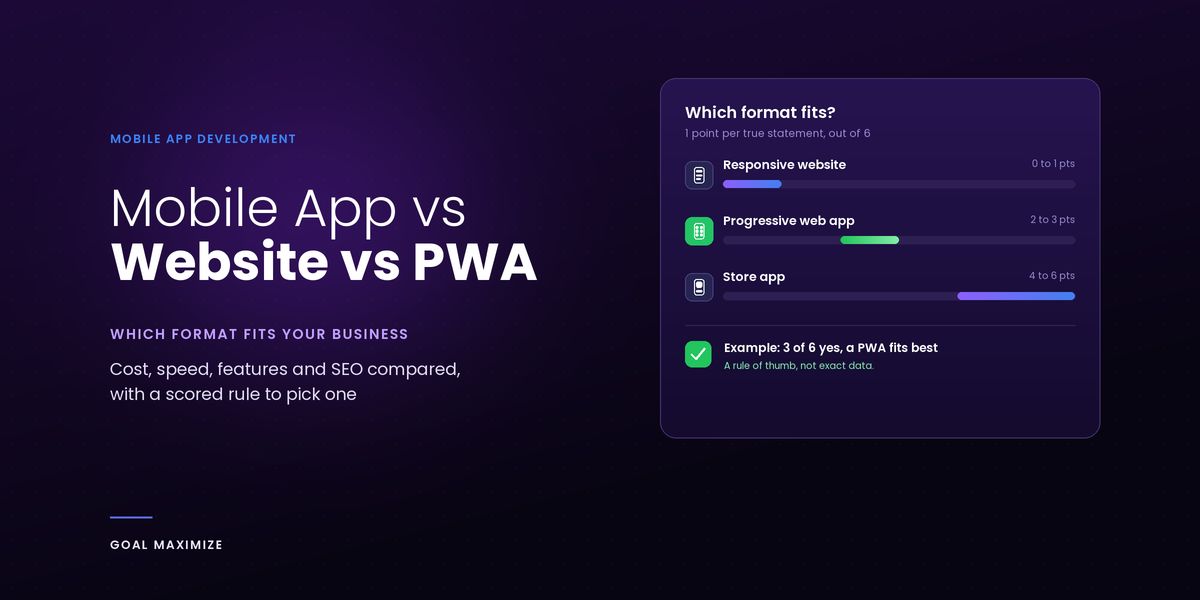
Give your business 1 point for every statement that is true today.
The scoring rule
- Customers would use it at least once a month.
- A core task needs phone hardware or background work that browsers handle poorly.
- People need it offline to do real work.
- Customers have accounts, history, bookings or loyalty points worth keeping one tap away.
- Repeat orders, memberships or subscriptions are how you make money.
- You have tried email, SMS or WhatsApp and need more.
0 to 1 points: improve your responsive website. 2 to 3 points: a PWA fits best. 4 to 6 points: scope a store app. The exception: if your business cannot work without a feature your customers’ browsers lack, such as connecting to a Bluetooth device, go straight to a store app.
This is a rule of thumb, not a law. It asks which format fits, while the 5-question test in our app development guide asks whether to build at all.
When a website is enough
A website is enough when people find you through search, decide once and move on: a quote, a booking, a call, a purchase every few months.
Spend where customers arrive: load time, short forms, a click-to-call button, clear pricing and content that answers real questions. Our website design and development guide covers each one, and our website design and development services cover the build. If you scored 0 or 1, do this for 6 months before you reconsider.
When a PWA is the smart middle path
A PWA fits when people return often and the job is content, forms, bookings, orders or a logged-in account: customer portals, catalogues, booking tools and member areas. You get a home-screen icon, offline access to key screens and push notifications where the device allows them, from 1 codebase. A fix goes live when you deploy it, with no store review.
The catch is that a PWA can only do what the browser allows. If a core feature needs a capability browsers handle unevenly, find out in week 1, not month 4.
iOS limitations to check before you commit
Do PWAs work properly on iPhones? Yes, with rules to design around. We checked the points below against the official WebKit, MDN and Apple pages on 30 October 2026. Rules change, so recheck before you build.
- Installing is manual. iOS does not support the
beforeinstallpromptevent, so your own install button cannot trigger the prompt, as MDN explains. Show Share menu instructions instead. - Home Screen web apps are easier now. On iOS 26, every site added to the Home Screen opens as a web app by default, with no manifest needed, per the WebKit release notes.
- Push needs the Home Screen. On iPhone, web push works only for Home Screen web apps, from iOS 16.4, and the permission prompt must follow a tap (WebKit). The Safari 26 notes announce no change.
- Device features vary. MDN marks Web Bluetooth as limited availability, and web.dev lists many capabilities as available in some browsers only. Test each one on a real iPhone.
When an app earns its cost
A store app earns its cost when it does what the web version cannot, or is used so often that an icon is not enough.
Usage frequency, hardware needs, offline needs, revenue model
- Usage frequency. Daily or weekly use is a strong sign, monthly is borderline, and a few times a year belongs on a website.
- Hardware needs. If a core task depends on Bluetooth devices, sensors or advanced camera work, browser support is patchy and a store app gives you more control.
- Offline needs. A PWA can cache screens and data, but for field teams working all day on a poor signal, a store app usually gives you more control over syncing.
- Revenue model. Subscriptions, repeat orders and memberships give people a reason to stay one tap away. An app that repeats your brochure does not, and Apple’s App Store Review Guidelines (4.2) say an app needs features, content and UI that “elevate it beyond a repackaged website”.
Evidence to gather before you commission an app
Fill this in within a week, from data you already have.
| Check | Where to find it | What it tells you |
|---|---|---|
| Mobile share of visits | Analytics, device report | Whether phones are your main channel |
| Repeat-visit rate | Analytics, new vs returning users | Whether anyone returns often enough to want an icon |
| iPhone vs Android split | Analytics, OS report | Which platform to test first |
| Requests that need an app | Emails, calls, reviews | Real demand for offline use, notifications or hardware |
| What email, SMS or WhatsApp already achieve | Campaign reports | Whether cheaper channels do the job |
| Repeat revenue and 12-month upkeep budget | CRM, finance | Whether the app can pay for itself |
Our rule of thumb: if you cannot fill in at least 4 of the 6 rows, you are not ready to commission an app. Fix the tracking first. What drives the price is covered in how much a mobile app costs.
A phased path: site first, then PWA, then app
You do not have to choose forever. Each step reuses the one before, so being wrong stays cheap.
Phase 1: a fast, mobile-first website. Fix speed, forms and content, and add tracking so the evidence table fills itself in. Run it for 6 months.
Phase 2: a PWA, once people come back. If repeat visits and logged-in use show up in your data, add a manifest and a service worker, and make the 2 or 3 busiest screens work offline. Same domain, same content, same search visibility.
Phase 3: a store app, when a specific need blocks you. Move when customers ask for something the PWA cannot do, such as reliable hardware access. Keep the website, because it still brings in new customers.
If you reach phase 3, our mobile app development services cover design, build, testing and launch.
FAQs
Is a PWA cheaper than a mobile app?
Usually, yes. A PWA is 1 web codebase with no store submission, while a store app needs a build for each platform or a cross-platform framework, plus developer accounts and reviews. A PWA with accounts, payments and offline sync still takes real engineering, so get both quoted from one brief. Our guide to how much a mobile app costs shows what moves the price.
Do I need an app if my website is responsive?
Not if customers use you rarely. A fast responsive site is enough for most service businesses. Run the scoring rule above: at 2 or more points a PWA deserves a closer look, and at 4 or more a store app does.
Can a PWA be listed in the app stores?
In some of them. Google documents a route into Google Play called a Trusted Web Activity, built with tools such as Bubblewrap or PWABuilder. Microsoft documents publishing a PWA to the Microsoft Store with PWABuilder and Partner Center, with no code changes. Apple is stricter: guideline 4.2 expects an app to offer more than a repackaged website, so a bare wrapper around your PWA risks rejection.
Can I start with a website and add an app later?
Yes, and it is the route we recommend. The site gives you the traffic, analytics and customer questions that justify an app, and a later PWA or app can reuse your brand, content and much of your backend. Keep the site running, since it still brings in new customers.
Not sure where you land? Run the scoring rule and the evidence table on your own business, then book a free consultation and bring your answers. We will tell you plainly if you do not need an app yet.

**Shalini Thakur** is an SEO Specialist at Goal Maximize with 9+ years of experience in technical SEO, content strategy, and AI-powered search optimization. Specializes in data-driven SEO strategies, website optimization, content development, and adapting websites to the evolving AI-powered search landscape.