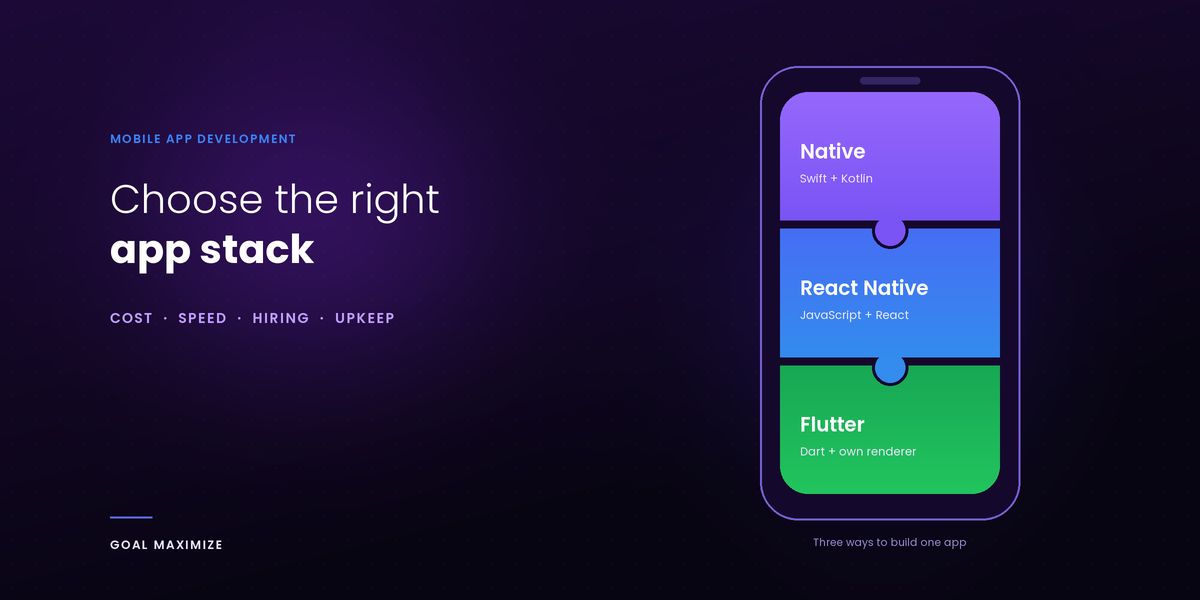
Most founders do not need a ranking of frameworks. They need to know which choice costs less to build, stays affordable to run and will not trap the business later. This guide compares native, React Native, Flutter and Kotlin Multiplatform on those terms. It is written for the people who approve the budget, not the people who write the code.
If you are still deciding whether to build an app at all, start with our mobile app development guide. Every claim below about how a framework works comes from its official documentation, read on 5 November 2026. We did not use vendor benchmarks, because a benchmark rarely matches a real business app.
Short answer and who each option suits
Short answer: for most startups and business apps, build once with React Native or Flutter and ship to both iPhone and Android. Choose native Swift and Kotlin when the app depends on advanced device features or must feel exactly like the phone it runs on. Consider Kotlin Multiplatform when you already have Kotlin engineers and want to share logic, not screens. Last reviewed: 5 November 2026.
- Native: best for 1 platform, deep device features or a long-lived product with a large budget.
- React Native: best when your team knows JavaScript or you want a fast launch on both platforms.
- Flutter: best when you want a custom look that is identical on both platforms.
- Kotlin Multiplatform: best when logic should be shared but the screens stay native.
Which one costs less? Usually a single cross-platform codebase, because you pay for 1 build instead of 2. The gap between React Native and Flutter is small enough that the team you can hire matters more than the framework.
The options
Native (Swift and Kotlin)
Native means 2 separate apps: 1 written in Swift for iPhone and 1 in Kotlin for Android, each using the platform’s own tools. You get direct access to every device feature and a look users already know. You also get 2 codebases, 2 teams and 2 testing cycles, so it is the most expensive route to a two-platform launch. It is the right call when iPhone comes first, and you can see how we approach iOS app development.
React Native
React Native lets developers build the app in JavaScript with React. Its official site says core components such as View and Text map directly to the platform’s native UI building blocks, so users see real iOS and Android elements, not imitations. Since version 0.76 the New Architecture is switched on by default. The docs add a caution: turning it on does not automatically make an app faster.
Flutter
Flutter, from Google, uses the Dart language and draws the interface itself instead of using the phone’s built-in controls. Its architecture documentation says release apps compile to machine code and that rendering runs on an engine called Impeller. The Impeller page says it is the default on iOS and on Android API 29 and above, and that it prepares shaders ahead of time for more predictable performance. The trade-off is that a Flutter button is Flutter’s own version, not the system one. That keeps the look identical across operating system versions, which helps when branding matters most.
Kotlin Multiplatform
Kotlin Multiplatform, or KMP, comes from JetBrains and shares code instead of forcing a shared screen. Its documentation says you can share a single module such as networking, grow the shared part over time, or share all business logic, while building the iPhone screens in SwiftUI or UIKit. Teams that want shared screens can add Compose Multiplatform, which the supported platforms page lists as stable on Android, iOS and desktop, and in beta for web. KMP suits teams that already know Kotlin from Android app development.
Comparison table: performance, cost, speed, hiring and upkeep
The ratings are relative, not scores. The performance row restates each project’s official docs. The other rows are our own judgment, because no neutral source prices them.
| Factor | Native (Swift and Kotlin) | React Native | Flutter | Kotlin Multiplatform |
|---|---|---|---|---|
| Performance | Direct access to platform APIs | Native UI components; New Architecture default since 0.76 | Compiled to machine code; own renderer (Impeller) | Kotlin/Native builds native binaries |
| Cost to build | Highest: 2 codebases | Lower: 1 codebase for most of the app | Lower: 1 codebase for most of the app | Middle: shared logic, 2 sets of screens |
| Speed to market | Slowest | Fast | Fast | Medium |
| Hiring pool | 2 separate pools: Swift and Kotlin | Broad: React web developers can move across | Specialist: developers need to know Dart | Specialist: Kotlin skills |
| UI fidelity | Exact platform look | Platform look by default | Identical on both platforms | Native screens, or shared Compose UI |
| Long-term upkeep | 2 codebases to update | Framework and library upgrades | Frequent framework releases | Kotlin, shared libraries and 2 toolchains |
Will cross-platform feel slower to users? For typical business apps made of forms, lists, maps and payments, we do not expect users to notice. Slowness shows up in heavy animation, games, video and camera work, and any stack feels slow if it is built badly. Ask your agency to show a running build on a mid-range phone, not a benchmark chart.
What this means for your budget
| Stack | What it means for your budget |
|---|---|
| Native | Plan for 2 builds. In the Medium example from our guide to app development cost, native for both platforms adds about $30,900. That comes from our own hours-and-rate model, not a quote. |
| React Native | 1 team and 1 main codebase. Keep budget for native modules when a device feature has no ready-made library, and for yearly upgrades. |
| Flutter | Also 1 team and 1 main codebase. Budget for Dart developers and, for platform-specific features, native code through platform channels. |
| Kotlin Multiplatform | You save on shared logic, not on screens. Budget for 2 interfaces unless you adopt shared Compose UI. |
Whatever you pick, plan for 15% to 20% of the build cost each year after launch. That is an agency rule of thumb, not measured data.
Decision matrix by budget, timeline, feature complexity and skills
Find the row that sounds most like your project. If 2 rows apply, the one you rank first usually wins.
| If your situation is | Lean towards | Why |
|---|---|---|
| Tight budget, and you need iPhone and Android | React Native or Flutter | 1 codebase means 1 build to pay for. |
| Short timeline, testing an idea | React Native or Flutter | Less to build before launch, so you learn from users sooner. |
| Simple content or booking, no device features | Maybe no app yet | A website or PWA may cover it. See our comparison of mobile app vs website and PWA. |
| Complex device features: Bluetooth, background tasks, camera | Native, or cross-platform plus native code | Both routes reach device features through native code, so complex needs add cost. |
| In-house web team that knows JavaScript | React Native | Existing React skills carry over. |
| In-house Android team that knows Kotlin | Kotlin Multiplatform | Share logic with iOS without retraining everyone. |
| Custom design, identical on both platforms | Flutter | It draws its own interface, so 1 design looks the same everywhere. |
| iPhone only, for now | Native Swift | There is no second platform to share code with. |
Cases where native is non-negotiable
Cross-platform covers most business apps. These exceptions are our judgment, not a rule from any framework’s docs.
- Car and in-vehicle apps. Google’s Android for Cars documentation names the Android for Cars App Library as the way to build these apps, so expect native Android code for that part.
- Heavy graphics, AR or real-time video. Games and AR rely on engines and graphics APIs close to the hardware.
- Day-one access to new operating system features. A framework may need time to support a brand-new OS feature, while native code can use it when the SDK ships.
- A strict platform look. Apps that must follow every iOS or Material Design convention.
- An existing native team and codebase. Rewriting a working native app rarely pays back.
Even then you may not need a fully native build. Flutter’s docs show an app calling Kotlin or Swift for 1 feature while the rest stays shared, and React Native does the same through native modules. Our team can price that hybrid through our mobile app development services.
Maintenance and hiring risk after launch
Upgrades are a recurring cost. Flutter’s home page lists a steady run of releases, from 3.32 to 3.47 at the time of writing, and React Native changed its architecture default in 0.76. Neither is a problem, but an app that skips upgrades gets harder and more expensive to update later. Ask who handles upgrades, and how often.
Libraries are a hidden dependency. Cross-platform apps rely on third-party packages for features such as maps, payments and push notifications. A package that its maintainer stops updating becomes your problem. Ask your agency to list every package the app depends on.
Hiring depends on the skill, not the logo. React Native developers work in JavaScript, so web developers can often move across. Flutter developers work in Dart. Native developers work in Swift or Kotlin. We found no neutral source that counts available React Native and Flutter developers, so we do not quote a figure. Judge it locally: search your city’s job boards and ask the agency to name the people on your project.
What if you need to switch later? You can, but the cost lands mostly on the screens and app code. The design work, the back end, the APIs and the requirements carry over. KMP is the easiest to adopt in steps, because its docs describe growing the shared part over time. Clear documentation makes any later rebuild cheaper.
The back end outlives the front end. Whichever stack you pick, the server, database and content system behind the app usually stay when the app changes. If your content lives in a website CMS, our comparison of WordPress vs headless CMS explains that choice.
Questions to ask your agency about stack choice
Seven questions that separate a reasoned recommendation from a habit:
- Which stack do you recommend for my app, and which would you not use? Why?
- Which features need native code, and what do they add to the quote?
- Which third-party packages will the app depend on, and who maintains them?
- Who handles upgrades after launch, and what do they cost per year?
- Can you show a running build on a mid-range phone, not only a demo on a new one?
- Who will build it, and what happens if that person leaves the project?
- If we outgrow this stack, what carries over and what must be rebuilt?
FAQs
Is Flutter better than React Native?
Neither is better in general. Flutter suits a custom design that looks identical on both platforms. React Native suits teams with JavaScript skills and apps that should look like each platform. For a typical business app the speed difference is small, so choose on the skills you can hire.
Is cross-platform cheaper than native?
Usually, when the app must run on both iPhone and Android, because 1 codebase replaces 2. In the Medium example from our cost guide, building both platforms natively adds about $30,900. That figure comes from our own model, not a quote.
Which is best for startups?
Most startups should start with React Native or Flutter: 1 team, 1 main codebase and a faster first release. Pick the one your team or agency knows well, and move to native later only if the product needs it.
Can I rebuild in native later?
Yes. The design work, the back end, the APIs and the written requirements carry over, and mainly the app code is rewritten. A documented app development process and a back end built as a clean API keep a later rewrite smaller.
Next step: write down your platforms, must-have device features and team skills, then put the 7 questions to 2 or 3 agencies and compare their reasoning, not just the price.

**Shalini Thakur** is an SEO Specialist at Goal Maximize with 9+ years of experience in technical SEO, content strategy, and AI-powered search optimization. Specializes in data-driven SEO strategies, website optimization, content development, and adapting websites to the evolving AI-powered search landscape.