
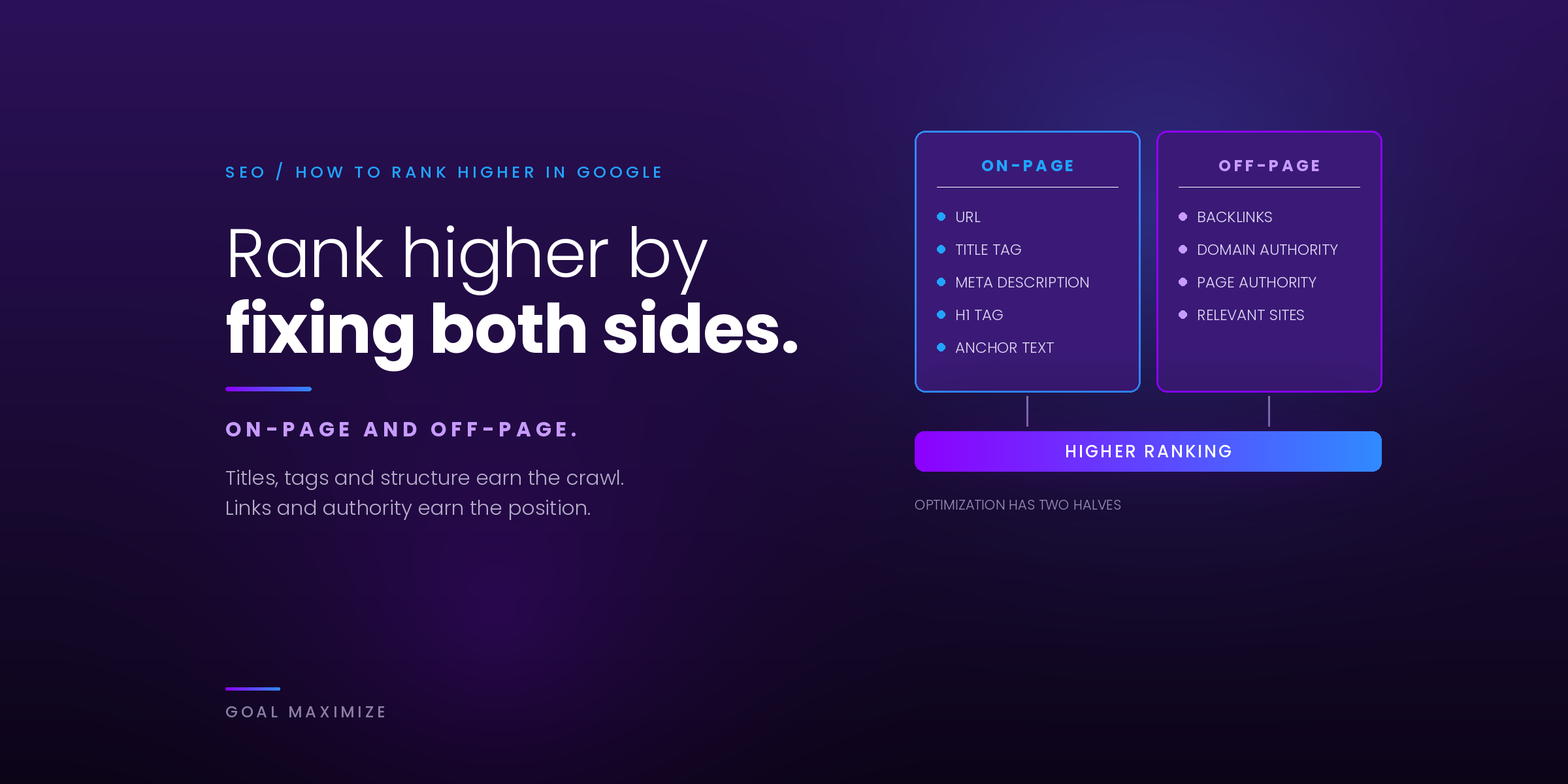
You’ve built a website, but when you search for what you sell, your competitors show up and you don’t. The good news is that the basics haven’t changed much. Google still wants to show the most helpful page for each search. Your job is to make your page that page, and to make it easy for Google to understand.
This guide shows you how to rank higher on Google in 10 beginner-friendly steps. Each one is something you can do yourself, in order, without paid tools. If you already know the basics and want a full growth plan with content clusters and a 12-month roadmap, read our SEO growth playbook instead. This page is the starting point.
Quick Summary: 10 Steps to Rank Higher on Google
- Pick the right keyword: 1 main keyword per page, with real searches and a realistic level of competition.
- Match search intent: give people the type of page Google already ranks for that search.
- Write a clear title and meta description: include the keyword and give people a reason to click.
- Structure your headings: 1 H1, then H2s and H3s that work like a table of contents.
- Go deep enough: answer the main question and the follow-up questions too.
- Add internal links: connect related pages with descriptive anchor text.
- Fix speed and mobile: pass Core Web Vitals and make the page easy to use on a phone.
- Earn links: create things other sites want to reference.
- Set up Google Business Profile: essential if you serve a local area.
- Track in Search Console: watch clicks, impressions and position, then improve.
How Google Decides Who Ranks
Google does 3 things. It crawls the web to find pages, mostly by following links. It indexes them, storing and trying to understand each one. Then it ranks them, picking the results that best answer each search. Every step below helps with 1 of those jobs.
Google’s own SEO Starter Guide sums it up: build for people first, and make your site easy for search engines to find and understand. If your page isn’t indexed at all, start with why Google can’t find your website. No content will help a page Google can’t see.
Step 1: Pick the Right Keyword
A keyword is the phrase people type into Google. Every page you want to rank needs 1 main keyword, plus a few close variations. Pick it before you write, not after.
A good beginner keyword has 3 things:
- Real searches. Some people actually look for it every month. Free tools like Google Keyword Planner, Google autocomplete and the “People also ask” box show you what people type.
- Realistic competition. If the first page is all huge brands and government sites, a new site won’t break in soon. Longer, more specific phrases (“SEO for dental clinics” rather than “SEO”) are easier to win.
- Business value. Ranking only matters if the people searching could become customers.
Give each keyword its own page. If 2 of your pages target the same phrase, they compete with each other and both tend to rank lower. Our keyword research guide walks through the process in more detail.
Step 2: Match Search Intent
Search intent is the reason behind a search. Someone typing “how to fix a leaking tap” wants instructions. Someone typing “plumber near me” wants to hire someone today. Google has learned what each kind of searcher wants, and it ranks pages that deliver it.
The easiest way to check intent is to search your keyword and look at page 1. Ask yourself:
- Are the results blog guides, product pages, service pages or local listings?
- Are they lists (“10 ways…”), step-by-step guides, comparisons or reviews?
- Is there a map, videos or a “People also ask” box?
Then build the same type of page, only better. If everything ranking is a how-to guide, a sales page won’t rank, however well written it is. Our article on on-page SEO and matching intent goes deeper into this.
Step 3: Write a Clear Title and Meta Description
Your title tag is the blue clickable headline in search results. Your meta description is the short text that may appear under it. Together they decide whether people click on you or on the result next to you.
- Title: put your keyword near the start, keep it to about 60 characters so it isn’t cut off, and make it unique to the page. Say what the reader gets (“10 steps”, “free checklist”, “prices included”).
- Meta description: 1 or 2 sentences, roughly 150 to 160 characters, that summarize the page and give a reason to click.
Google sometimes rewrites titles and often writes its own snippet from your page text, so keep the page itself clear too. You can skip the old “meta keywords” tag: Google’s Starter Guide confirms it doesn’t use it.
Step 4: Use Headings That Make Sense
Headings break your page into sections. They help readers scan, and they help Google understand what each part covers.
- Use 1 H1, the main page headline, with your keyword in it.
- Use H2s for the main sections, and H3s for points inside a section.
- Write headings people would actually search for or want to jump to, such as “How much does it cost?” rather than “Overview”.
- Don’t skip levels or use headings just to make text big.
A quick test: read only your headings. If they work as a table of contents for the page, they’re doing their job.
Step 5: Add Real Content Depth
“Depth” doesn’t mean word count. It means fully answering the question, plus the next questions a reader will have. A page about “how much does a website cost” should cover price ranges, what changes the price, hidden costs and how to choose. A 300-word page that only says “it depends” won’t compete.
Ways to add depth beginners can manage:
- Answer the questions in the “People also ask” box for your keyword.
- Add your own experience: real examples, prices, photos, mistakes you’ve seen customers make.
- Use tables, checklists and step lists where they make things easier to follow.
- Cite trustworthy sources for any facts or numbers.
- Update the page when things change, and remove anything outdated.
Step 6: Link Your Pages Together
Internal links connect 1 page on your site to another. They help Google find your pages, see how topics relate and work out which pages matter most.
- Link from each new page to 2 to 5 related pages, and link back to the new page from older ones.
- Use descriptive anchor text, such as “local SEO guide” rather than “click here”.
- Give your most important pages (services, best guides) the most internal links, and make sure none has zero links pointing to it.
Step 7: Make Your Site Fast and Mobile-Friendly
Google indexes the mobile version of your site, and most searches happen on phones. If your site is slow or awkward on a small screen, people leave.
Google measures page experience with 3 Core Web Vitals. These are the “good” targets:
| Metric | What it measures | Good score |
|---|---|---|
| Largest Contentful Paint (LCP) | How fast the main content loads | 2.5 seconds or less |
| Interaction to Next Paint (INP) | How quickly the page responds to taps and clicks | 200 milliseconds or less |
| Cumulative Layout Shift (CLS) | How much the layout jumps around while loading | 0.1 or less |
Check your scores for free in PageSpeed Insights or the Core Web Vitals report in Search Console. The usual beginner fixes are compressing images, using good hosting with caching, and cutting plugins and scripts you don’t need. See how page speed affects revenue and what mobile-first design looks like in practice.
Step 8: Earn Links From Other Websites
When a trusted website links to yours, that backlink tells Google your page is worth referencing. Quality matters far more than quantity: 1 link from a respected site in your industry beats 100 from random directories.
Safe ways for beginners to earn links:
- Get listed with suppliers, partners, industry associations and your local chamber of commerce.
- Publish something useful others will cite: original data, a free tool, a template or a clear guide.
- Answer journalists’ questions and offer expert quotes.
- Find mentions of your brand that don’t link to you, and politely ask for a link.
Never buy links in bulk. It breaks Google’s spam policies and can get your site penalized. Our guide to link building strategies worth your time covers more advanced options.
Step 9: Set Up Your Google Business Profile
If you serve customers in a specific area, your Google Business Profile is how you show up in map results and on Google Maps.
- Claim and verify your profile, then pick the most accurate primary category.
- Use exactly the same business name, address and phone number everywhere online.
- Add opening hours, services, real photos and a short description.
- Ask happy customers for reviews, and reply to every review, good or bad.
- Post updates and offers regularly so the profile looks active.
Google says local results depend mainly on relevance, distance and prominence. You can’t change distance, but a complete profile and steady reviews help with the other 2. Our guide to local SEO for businesses covers the full process.
Step 10: Track Your Results in Google Search Console
Google Search Console is a free tool that shows how your site performs in Google Search. If you only set up 1 SEO tool, make it this one.
The Performance report shows 4 numbers for every page and search query:
- Clicks: how many people clicked through to your site.
- Impressions: how often your site appeared in results.
- CTR: clicks divided by impressions.
- Average position: where you usually appear.
Use it to find quick wins. A page in positions 8 to 20 with lots of impressions is close to page 1 and is usually the best page to improve next. A page with high impressions but a low CTR probably needs a better title (step 3). After you update a page, use the URL Inspection tool to ask Google to recrawl it.
Be patient. Google’s Starter Guide notes that some changes show up within hours and others take months, so give each change a few weeks. To share progress with your team, see how to report SEO results that matter.
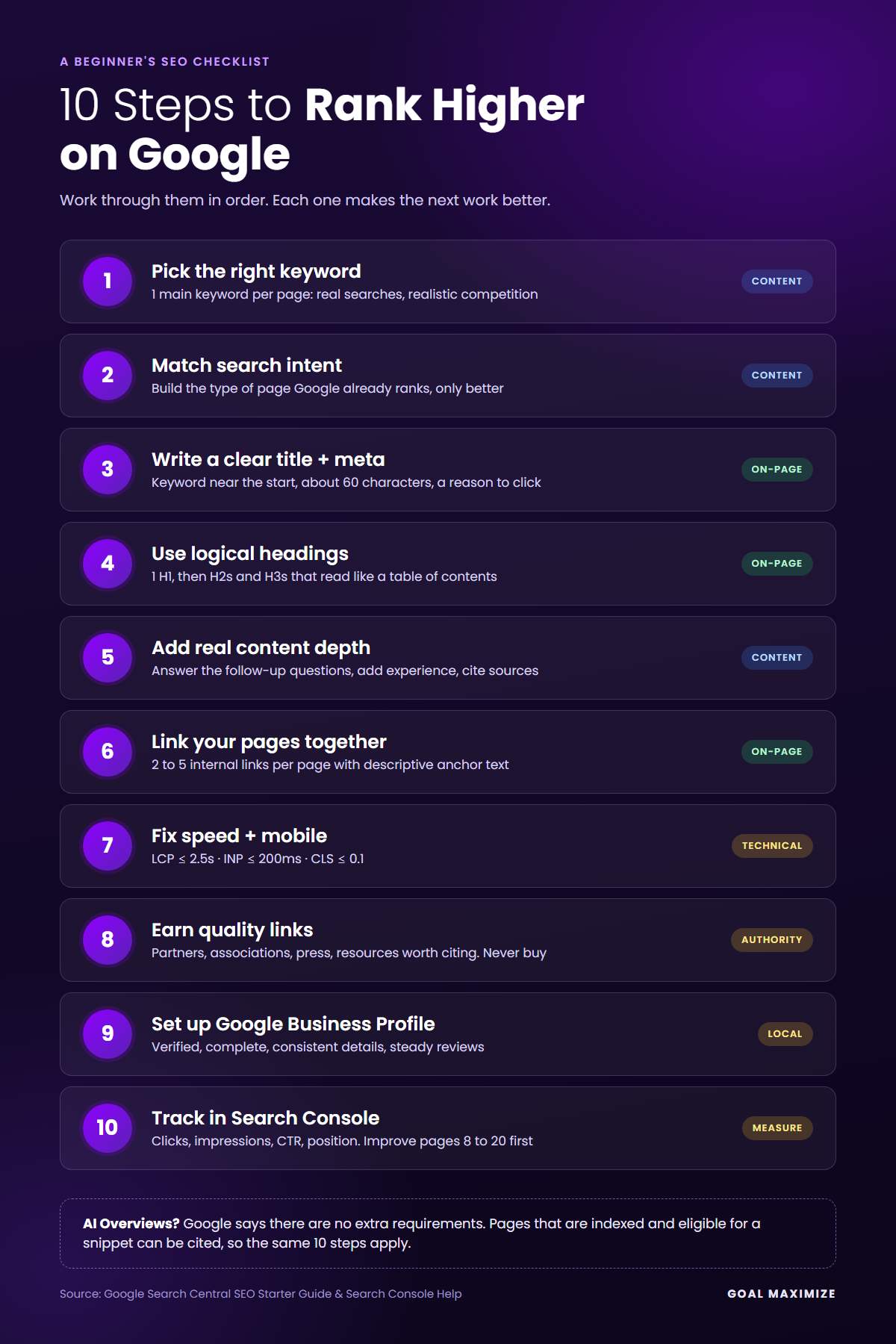
Here are all 10 steps on one page to save as a checklist:
What About Google’s AI Overviews?
For many searches, Google now shows an AI-generated summary, called an AI Overview, above the normal results, with links to its sources. That doesn’t mean starting SEO all over again.
Google’s guidance on AI features and your website says there are no extra requirements or special optimizations needed to appear in AI Overviews. Your page just has to be indexed and eligible to show a snippet in normal search. In other words, the 10 steps above are also how you get cited in AI Overviews.
A few habits make your pages easier to quote:
- Answer the main question directly in the first sentence or 2 under each heading.
- Keep important information in text, not only in images or videos.
- Use lists and tables for steps, prices and comparisons.
- Make sure any structured data matches what’s visible on the page. Our schema markup guide explains how.
AI Overviews can mean fewer clicks for simple questions, so it’s worth tracking which of your pages still earn clicks. Getting cited by AI search tools beyond Google is a bigger topic, often called generative engine optimization, and it builds on the same basics.
How to Rank Higher on Google: FAQs
How long does it take to rank higher on Google?
For a new page on an established site, expect early movement within a few weeks and steadier results in 3 to 6 months. A brand new website, or a very competitive keyword, can take 6 to 12 months or more. Small updates to pages that already rank can show results much faster.
Can I rank on Google for free?
Yes. Organic rankings can’t be bought. Google Search Console, PageSpeed Insights, Google Business Profile and Keyword Planner are all free. What SEO costs is time, or the fee for an expert to do the work for you.
Why is my website not showing up on Google at all?
Usually it hasn’t been indexed yet, or something is blocking it, such as a “noindex” tag or a robots.txt rule. Search “site:yourdomain.com” on Google. If nothing appears, add your site to Search Console, submit your sitemap and use URL Inspection to find the problem.
How many keywords should one page target?
1 main keyword plus its close variations and related questions. A page that answers its main topic well often ranks for hundreds of related searches. Trying to target several unrelated keywords on 1 page usually means it ranks well for none of them.
Do I need to optimize separately for AI Overviews?
No. Google says there are no special requirements for AI Overviews beyond being indexed and eligible for a snippet. Clear answers, good structure and helpful content help you in both regular results and AI Overviews.
Start With Step 1 Today
You don’t need to do all 10 steps this week. Pick your most important page, choose its keyword, check the intent and rewrite the title. Then work down the list. Steady fixes beat a single big push.
Want to know which steps your site needs most? Our SEO services team will review your site and send you a clear list of the fixes that will move your rankings fastest.

**Shalini Thakur** is an SEO Specialist at Goal Maximize with 9+ years of experience in technical SEO, content strategy, and AI-powered search optimization. Specializes in data-driven SEO strategies, website optimization, content development, and adapting websites to the evolving AI-powered search landscape.