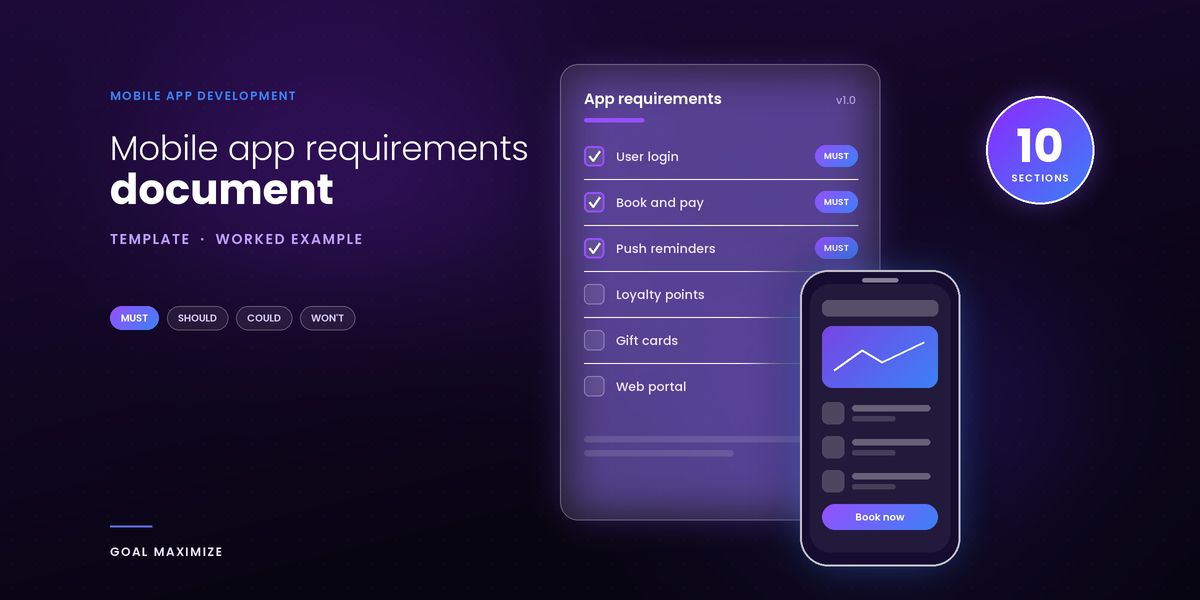
A mobile app requirements document is a short written brief that tells a development team what your app must do, who it is for, which devices it must run on and how you will judge success. Without one, every vendor fills the gaps with its own guesses and you cannot compare quotes. This guide covers the 10 sections to include, a filled-in one-page example for a booking app and a free template. Still deciding whether to build? Start with our mobile app development guide.
Short answer: write 10 sections: overview and goals, users, features ranked with MoSCoW, user flows, platforms, integrations, security, success metrics, out of scope, and timeline and budget. Keep it to 4 to 8 pages and write it with a developer. Last reviewed: 15 November 2026.
What a requirements document is (and is not)
Atlassian describes a product requirements document (PRD) as a document that defines a product’s purpose, features, functionality and behavior, and it says agile teams should give “just enough” context rather than overly detailed specs (Atlassian, read 15 November 2026).
How is it different from a PRD? In practice, the terms overlap. Our working distinction: a PRD is written inside the product team to decide what to build, while a requirements document adds what an outside vendor needs to price and build it, such as platforms, integrations, compliance, and acceptance criteria. That is our definition, not an industry standard.
A requirements document is not:
- A design. It links to wireframes but does not replace them.
- A contract. The agreed scope goes into the contract, which also covers IP, payment, and exit terms. See our guide to choosing a mobile app development company.
- A frozen spec. Atlassian’s anti-patterns include specifying everything in detail before engineering starts and never updating requirements afterwards. Update yours at each stage of our app development process.
How detailed should it be? Detailed enough that 2 vendors would quote the same scope. Our suggestion: 3 to 5 lines per Must-have feature, each with an acceptance criterion, and a single line for the rest.
The 10 sections every app requirements document needs
Use the same order every time. Each section answers one question a vendor would otherwise ask you in the first call.
1. Overview and goals
State what the app is, the problem it solves, and the single outcome that matters most, in 3 sentences. Name the decision-maker. Every later section should trace back to this goal.
2. Users and personas
List each type of user, what they want to do, and how often. Include admin and staff users, because their screens still have to be built and are easy to forget.
3. Feature list with MoSCoW priority
MoSCoW sorts every feature into 1 of 4 groups. ProductPlan credits the method to Dai Clegg, who created it at Oracle to prioritise release tasks (ProductPlan, read 15 November 2026).
| Priority | Meaning | Test |
|---|---|---|
| Must | Non-negotiable; the release fails without it | Would you refuse to launch without it? |
| Should | Important and valuable, but the product still works without it | Could it wait for version 1.1? |
| Could | Nice to have, small impact if left out | Is it the first thing to cut if time runs out? |
| Won’t (this time) | Agreed as not part of this release | Have you written it down so nobody assumes it is in? |
ProductPlan advises agreeing in advance what share of effort each group gets. Our rule of thumb: if more than about 60% of your features are Must, you have not prioritised yet, and the budget will decide for you. Give each Must feature 1 acceptance criterion that a tester could check.
4. User flows and wireframe links
Describe the 3 to 5 journeys that matter most, step by step, such as “choose time, pay deposit, get confirmation”, and link a wireframe for each. Good flows are short and obvious, and our UI/UX design principles guide explains why.
5. Platforms and devices
Say iOS, Android, or both, and why. Add minimum OS versions, phone or tablet, offline needs, and accessibility needs. Set minimum versions from your own audience data.
6. Integrations and data
List every outside system: payments, maps, CRM, email, analytics, existing software. Mark each as confirmed or to be checked, because an unknown API is the most common reason an estimate moves. Note which data the app stores. Payments have a store rule too: Apple requires payment methods other than in-app purchase for physical goods and services consumed outside the app (App Review Guidelines 3.1.3(e), read 15 November 2026).
7. Security and compliance
Say what personal data you collect, which privacy laws apply, and how users sign in. The stores add their own rules, which are cheaper to plan for than to fix at review:
- Apple requires a privacy policy link in App Store Connect and inside the app, and in-app account deletion if the app lets people create an account (Apple guidelines 5.1.1).
- If you offer third-party login such as Google, Apple requires an equivalent login option that limits data collection (guideline 4.8).
- Apple’s privacy details must also cover data collected by third-party SDKs you add (Apple privacy details).
- Google Play requires every app to complete a Data Safety form and link a privacy policy (Google Play Help).
8. Success metrics
Give 3 to 5 numbers, each with a baseline, a target, and a date, such as “cut no-shows from 14% to 8% within 6 months”. Choose metrics your analytics can read.
9. Out of scope
Name what you are not building in version 1. Atlassian recommends calling out what you are not doing so the team stays focused.
10. Timeline, budget and open questions
Give a launch target, a budget ceiling, and a table of questions still unanswered. Use our app cost guide to set a realistic ceiling.
Worked example: a one-page spec for a booking app
Below is a condensed spec for Maple Street Studio, a fictional 3-location hair and beauty studio. The business and every number are invented, so replace them with your own. The downloadable version has the full feature table.
| Section | Maple Street Studio example |
|---|---|
| Overview and goals | A booking app for clients of Maple Street Studio (3 locations, 24 staff). Goal: move bookings from phone calls to the app and cut no-shows. Decision-maker: the studio owner. |
| Users | Client (books every 4 to 6 weeks, wants a slot in under 1 minute). Stylist (views own day schedule and blocks time off). Front-desk admin (edits any booking, issues refunds). |
| Features (MoSCoW) | Must: Sign up and log in, Browse services and stylists, Book, reschedule and cancel, pay a deposit by card or Apple Pay, Push reminders, delete account in the app Should: Loyalty points, Ratings and reviews Could: Waitlist for full slots, Gift cards Won’t: Web booking portal |
| Key flows | Flow 1: choose service, choose stylist, choose time, pay deposit, receive confirmation. Flow 2: reschedule or cancel up to 24 hours before. Flow 3: stylist blocks a time slot. Wireframes: link to the design file. |
| Platforms | iOS and Android phones, built once as a cross-platform app. Minimum iOS 17 and Android 10 (example values: set yours from your own analytics). Phone only, no tablet layout. Screen-reader support on all Must features. |
| Integrations | Card payments and Apple Pay through a payment provider (confirmed). Push notifications through APNs and Firebase (confirmed). Existing salon scheduling software through its API (to be checked with the vendor). Data kept: profile, bookings, payment tokens only. |
| Security | Login by email, plus Sign in with Apple and Google. Privacy policy linked in the app and in both store listings. In-app account deletion. Card data is never stored on our servers. Staff roles limited by permission. |
| Success metrics | 60% of bookings made in the app within 6 months of launch (baseline 0%). No-show rate down from 14% to 8%. Median booking time under 60 seconds. Crash-free sessions above 99%. (Baselines invented for this example.) |
| Out of scope | Web booking portal, multiple languages, in-app chat, product shop, staff payroll. |
| Timeline and budget | Target: MVP in the stores in 3 to 4 months. Budget ceiling: $60,000 (example figure; see our cost guide). Open: does the scheduling software expose a booking API? Who owns the store accounts? |
Download the template (Word)
Both files follow the 10 sections above. The template has guidance under each heading and an empty feature table. The example is the full spec.
Fill in the overview and Must features first, then send it to 2 or 3 vendors during stages 1 and 2 of our app development process. Their questions should match your open-questions list.
Mistakes that cause rework
- Writing it alone. Atlassian lists a product owner writing requirements without the team as an anti-pattern. Bring a developer in from the first draft.
- Calling everything a Must. If nothing can be cut, the budget decides for you. Our app cost guide shows how quickly features add up.
- No acceptance criteria. “Easy checkout” means different things to you and to a vendor. “A failed payment never creates an order” can be tested.
- Skipping out of scope. Anything not written down gets assumed by one side, and the other side bills for it.
- Ignoring store rules. Account deletion and privacy policy links are review checks, so plan them in section 7.
- Treating it as finished. Version it, date it, and update it when decisions change.
FAQs
What should be in an app requirements document?
Ten sections: overview and goals, users, a MoSCoW-ranked feature list, user flows, platforms, integrations, security, success metrics, out of scope, and timeline, budget and open questions.
How long should an app requirements document be?
For a first app, 4 to 8 pages is a good target. That page count is our rule of thumb, not a standard. Atlassian advises “just enough” detail, so write enough that 2 vendors would quote the same scope, then stop.
Who writes the requirements document?
The founder or product owner leads it, ideally with a developer or the vendor’s business analyst beside them. Atlassian says never to write one alone, because a developer spots gaps and cost drivers that the owner cannot see.
Do I need wireframes before development?
You do not need them to request quotes, but you do need clickable wireframes before building starts. Rough sketches help vendors estimate. In our app development process, wireframes come in stage 3, right after discovery and requirements.
Next step: draft the overview and your Must features today, then share the document with a developer. If you would like a team to review it and quote the build, see our mobile app development services or contact us.

Shalini Thakur is the Marketing Head at Goal Maximize with 10+ years of experience in SEO, content strategy, and AI-powered search optimization. Areas of focus include data-driven marketing strategies, technical SEO, content development, and keeping websites visible as search shifts to AI-generated answers.