
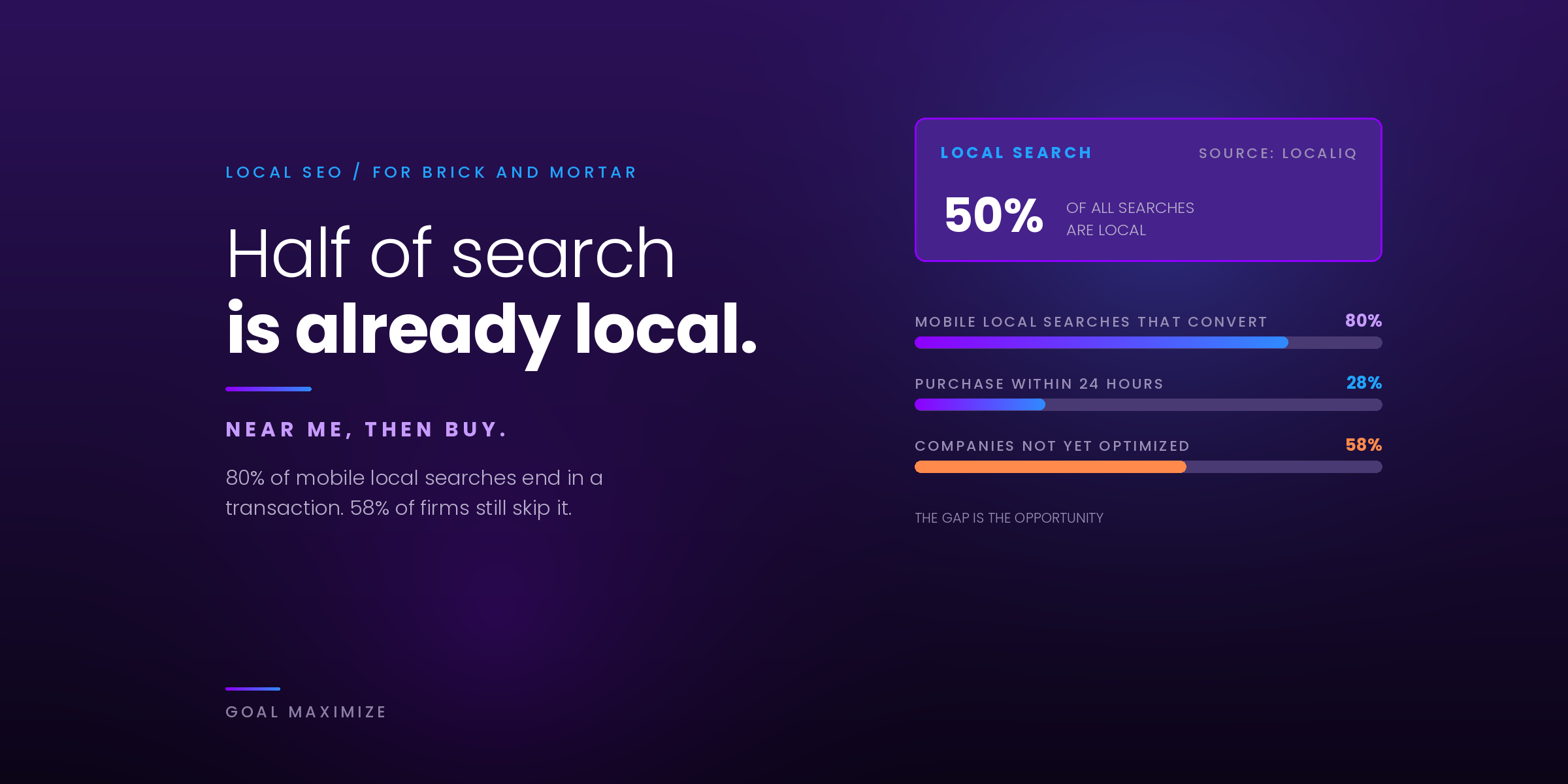
Local SEO for small businesses comes down to one goal: showing up when someone nearby searches for what you sell. That search might be "dentist near me", "emergency plumber in Leeds" or "bakery open now", and the businesses shown in the map results are the ones that get the calls, direction requests and visits.
This guide is the step-by-step version. It covers how Google decides who appears in the local pack, how to set up your Google Business Profile, how to earn and answer reviews, how to keep your business details consistent, how to build local landing pages and local links, how local results now work in AI Overviews and ChatGPT, and how to measure whether any of it brings in customers. If you want the wider picture first, our guide on how to rank higher on Google covers the SEO fundamentals that local SEO builds on.
Last updated: October 2026.
Local SEO in 7 Steps (Quick Version)
- Claim and verify your Google Business Profile. Without verification, your listing is unlikely to compete.
- Complete every field. Name, categories, hours, services, photos and service area all feed relevance.
- Earn reviews steadily and reply to every one. Reviews are a prominence signal and the first thing customers read.
- Make your name, address and phone number consistent everywhere. Fix directories and remove duplicates.
- Build local landing pages for each location or service area you want to rank in.
- Earn links and mentions from local sources such as associations, sponsors and local press.
- Track calls, direction requests and website clicks, then adjust what is not working.
Is Local SEO Worth It for a Small Business?
It is worth it if customers find you by location, either because they visit you or because you travel to them. That covers shops, restaurants, clinics, salons and gyms, service-area businesses such as plumbers, electricians and cleaners, and professionals such as lawyers, accountants and real estate agents.
The reason is trust at the moment of decision. In BrightLocal’s Local Consumer Review Survey 2026, 97% of consumers said they read reviews for local businesses. Local searchers are usually close to buying, so appearing with a strong profile does more for you than a general ad that reaches people who will never visit.
How the Local Pack Works: Relevance, Distance and Prominence
The local pack is the map and short list of businesses Google shows for searches with local intent. Google’s own guidance on tips to improve your local ranking says local results are based mainly on three factors:
- Relevance: how well your profile matches what the person searched for. Complete, detailed information and the right categories help Google understand what you do.
- Distance: how far your business is from the searcher, or from the location named in the search. You cannot change where you are, but you can make sure your address and service area are accurate.
- Prominence: how well known your business is. Google says this draws on links from other sites, plus the number and ratings of your reviews.
Google is also clear that there is no way to request or pay for a better local ranking. That is why the rest of this guide focuses on the things you do control: your profile, your reviews, your consistency across the web, your website and your reputation in your community. Local keyword research still matters, because it tells you which services and place names people actually use. Our guide to keyword research shows how to build that list.
Google Business Profile Setup Checklist
Your Google Business Profile (formerly Google My Business) is the biggest single lever for map results. Work through this checklist in order, then review it every quarter.
- Claim and verify the profile. Google says verification confirms you are authorised to represent the business and makes it more likely to appear in search results.
- Use your real-world business name. Google’s guidelines for representing your business say the name should match what customers see on your storefront, website and stationery. Adding keywords, taglines, phone numbers or location details such as "near the station" can get a profile suspended.
- Pick the most specific primary category. Choose the fewest categories that describe your core business. Google’s test is whether the category completes the sentence "This business IS a…".
- Enter a precise address, or set a service area. P.O. boxes and virtual offices are not eligible. If you travel to customers and have no storefront, set a service area and hide your address.
- Add hours, including special hours. Holiday closures and seasonal changes are where profiles most often go wrong.
- Add your local phone number and the right website link. Link to your home page, or to the matching local page if you have more than one location.
- Write a clear description and list your services. Say what you do and where you work in plain language. Keep it factual rather than promotional.
- Fill in attributes. Parking, accessibility, Wi-Fi, payment options and similar details help customers choose and help Google match you to specific searches.
- Add real photos and videos. Show the exterior, interior, team and your work. Google recommends photos and videos so customers can see what you offer, so refresh them regularly.
Make sure the information you enter here matches your website and every directory listing exactly. We come back to that in the citations section below.
Reviews: How to Get More and How to Reply
Reviews do two jobs. They feed the prominence signal Google describes, and they decide whether a searcher clicks you or the business next to you. BrightLocal’s 2026 survey shows how demanding customers have become:
- 31% will only use a business rated 4.5 stars or higher, up from 17% the year before.
- 74% only consider reviews from the last three months, so a steady flow matters more than a one-off push.
- 47% will not use a business with fewer than 20 reviews.
How to get more Google reviews
- Ask at the right moment. Ask when the customer is happiest, such as when a job is finished or a purchase is collected.
- Make it one tap. Google lets you share a review link or QR code from your profile. Put it in a follow-up text or email, on receipts and at the counter. Customers need a Google Account to post.
- Build it into your routine. Assign one person to send requests every week so reviews stay recent.
- Ask every customer. Do not hand-pick only the happy ones. A mix of honest reviews is more believable and more useful.
- Never offer incentives. Google treats free or discounted goods or services in exchange for reviews as fake and misleading content, and strictly prohibits it.
How to reply to reviews
Replies are public, so write them for the next customer reading, not just the reviewer. BrightLocal found that 80% of consumers are more likely to use a business that replies to all its reviews, but 50% are put off by generic or templated replies. Google’s advice matches: keep replies short, professional and conversational, and do not use them to push offers.
- Positive reviews: thank them by name and mention something specific they said.
- Negative reviews: respond promptly, apologise where it is fair, do not argue or share private details, and offer to continue by phone or email.
- Speed: BrightLocal reports that 81% of consumers expect a response within a week, so check your reviews at least weekly.
Example reply to a negative review: "Hi Sam, thank you for telling us. A 40-minute wait is not the experience we want for you, and I am sorry. I would like to understand what happened. Please call me on the number on our profile so I can put it right."
NAP Citations: Keep Your Business Details Consistent
NAP stands for name, address and phone number. A citation is any online mention of those details, for example in a directory, a chamber of commerce listing, a map app or an industry site. Google’s documentation does not list citations as a ranking factor in its own right. In practice they matter because inconsistent details confuse search engines and customers, and because AI tools and map apps pull from many sources, not only Google.
- Decide your master NAP. Use the exact name, address format and phone number on your Google Business Profile.
- Audit where you appear. Search your business name and phone number, and list every directory, map and review site that shows you.
- Fix the core listings first: Bing Places, Apple Business Connect, Yelp, Facebook and the main directories for your country and industry.
- Remove duplicates and old addresses. Old listings after a move or rebrand are the most common cause of mixed signals.
- Keep a simple tracking sheet with the listing URL, the login and the date last checked, and update every listing whenever your details change.
Local Landing Pages That Rank
If you have more than one location, or you serve several towns, give each its own page. Google needs a specific page to send each local searcher to, and customers want to see that you really work in their area. If you have a single location, apply the same ideas to your home page, contact page and main service pages.
A good local landing page includes:
- A clear title and heading with the service and place, for example "Emergency Plumber in Leeds".
- The same name, address and phone number as your Google Business Profile, with opening hours.
- Unique copy about the services you offer in that area, local examples and photos of real work.
- Real customer reviews from that location, and an embedded map.
- Links to the related service pages, and links back to it from your main navigation or a locations page.
- LocalBusiness schema markup so search engines can read your details without guessing.
Avoid cloning one page and swapping the city name. Thin duplicate pages add little for searchers and can hurt your site overall. Only create a page when you can say something true and useful about that area. Link your Google Business Profile to the matching page so searchers land where they should. If you are also thinking about serving customers in other countries, that is a different challenge, covered in our guide to international SEO.
Local Links: Earn Mentions From Your Own Community
Google lists links from other websites as part of prominence. For a local business, the best links come from places connected to your area, not from bulk directories. Good sources include:
- Your chamber of commerce, trade association or business network.
- Local sponsorships such as youth teams, charity events and community fairs.
- Local news sites and community blogs that cover events, openings or tips you can contribute to.
- Suppliers, partners and complementary businesses that can list you as a recommended provider.
- Local organisations that publish resource lists, such as schools, councils and universities.
Create something worth linking to, such as a local guide, a free event or a useful tool, and tell the people who would care. Avoid buying links. They carry risk and do not build the local reputation you are after.
Local Results in AI Overviews and ChatGPT
People now ask AI tools for local recommendations. BrightLocal’s 2026 survey found that 45% of consumers had used ChatGPT or another generative AI tool for local business recommendations, up from 6% a year earlier, and 40% said they trust AI platforms for recommendations. Nobody can guarantee a mention in an AI answer, but the same fundamentals that win the map pack also give AI systems something reliable to work from:
- Accurate, consistent business details across your profile, website and listings, so the answer shows the right hours and phone number.
- Detailed reviews that name services and outcomes, since AI tools often summarise review text.
- Pages that answer real questions such as pricing ranges, service areas, how long jobs take and what to expect.
- LocalBusiness schema and clear service pages, so machines can read what you offer and where.
- Listings beyond Google, including Bing Places and Apple Business Connect, because AI tools draw on more than one source.
A simple test: once a month, ask Google (including AI Mode) and ChatGPT the questions your customers would ask, such as "best emergency plumber in Leeds". Note who is recommended, which sources are cited, and whether your details are correct. Fix any wrong information at its source.
Tracking Calls and Directions
Rankings are only a means to an end. What you want to know is whether more people are calling, visiting and enquiring. Google Business Profile reports interactions in its Performance section: calls (clicks on the call button), direction requests, website clicks, messages and bookings.
| What to track | Where to find it | What to do with it |
|---|---|---|
| Calls from your profile | Business Profile Performance | If calls fall, check hours, phone number and recent reviews. |
| Direction requests | Business Profile Performance | A strong sign of visit intent. Compare month to month and by season. |
| Website clicks from your profile | Google Analytics, using UTM tags on your profile link | Tag the link (for example utm_source=google, utm_medium=organic, utm_campaign=gbp) to see what those visits do. |
| Calls and forms from your website | Google Analytics key events for click-to-call and form submissions | Find which local pages produce enquiries and improve the weak ones. |
| Local search queries | Google Search Console | Filter by page and place names to see which local pages gain impressions and clicks. |
Two cautions. First, Google counts clicks on the call button, so phone calls dialled directly from your listed number are not captured and the figure can undercount. Second, if you use call-tracking numbers, keep your main local number as the primary number on your profile and add the tracking number as an additional number, so your NAP stays consistent. Review the numbers monthly, and give changes at least a few weeks before judging them.
Local SEO for Small Businesses: FAQs
What is local SEO for small businesses?
It is the work of making your business easier to find in searches tied to a place, such as "near me" searches or searches that name a town. It centres on your Google Business Profile, reviews, consistent listings, local pages on your website and local links.
How long does local SEO take to work?
Profile fixes can show effects within weeks, but building reviews, links and local pages usually takes a few months, and longer in competitive cities. Results depend on your competitors and where you start, so no one can promise a timeline.
How many reviews do I need?
There is no fixed number, but BrightLocal’s 2026 survey found that 47% of consumers will not use a business with fewer than 20 reviews, and 31% want a rating of 4.5 stars or higher. Aim for steady, recent reviews rather than a sudden burst.
Can I pay Google for a better local ranking?
No. Google states there is no way to request or pay for a better local ranking. Paid options such as Google Ads and Local Services Ads are separate from the organic map results.
Do I need a website to appear in local results?
You can have a Business Profile without one, but a website gives you more to rank with: local landing pages, content that answers questions, schema markup and links. It also gives AI tools more to cite.
I travel to customers. Can I still use Google Business Profile?
Yes. Service-area businesses can have a profile if they serve customers at their location. Set your service area, and hide your address if you do not have a storefront that customers visit.
How do I get my business recommended by ChatGPT or AI Overviews?
There is no switch to flip. Keep your details consistent everywhere, earn detailed reviews, publish pages that answer local questions, use LocalBusiness schema, and check what AI tools say about you each month.
Want Help Getting Found in Your Area?
Goal Maximize reviews your Google Business Profile, listings, reviews and local pages, then gives you a prioritised plan to win more calls and visits from local search.
Sources: Google Business Profile Help: Tips to improve your local ranking; Guidelines for representing your business on Google; BrightLocal Local Consumer Review Survey 2026.

**Shalini Thakur** is an SEO Specialist at Goal Maximize with 9+ years of experience in technical SEO, content strategy, and AI-powered search optimization. Specializes in data-driven SEO strategies, website optimization, content development, and adapting websites to the evolving AI-powered search landscape.