
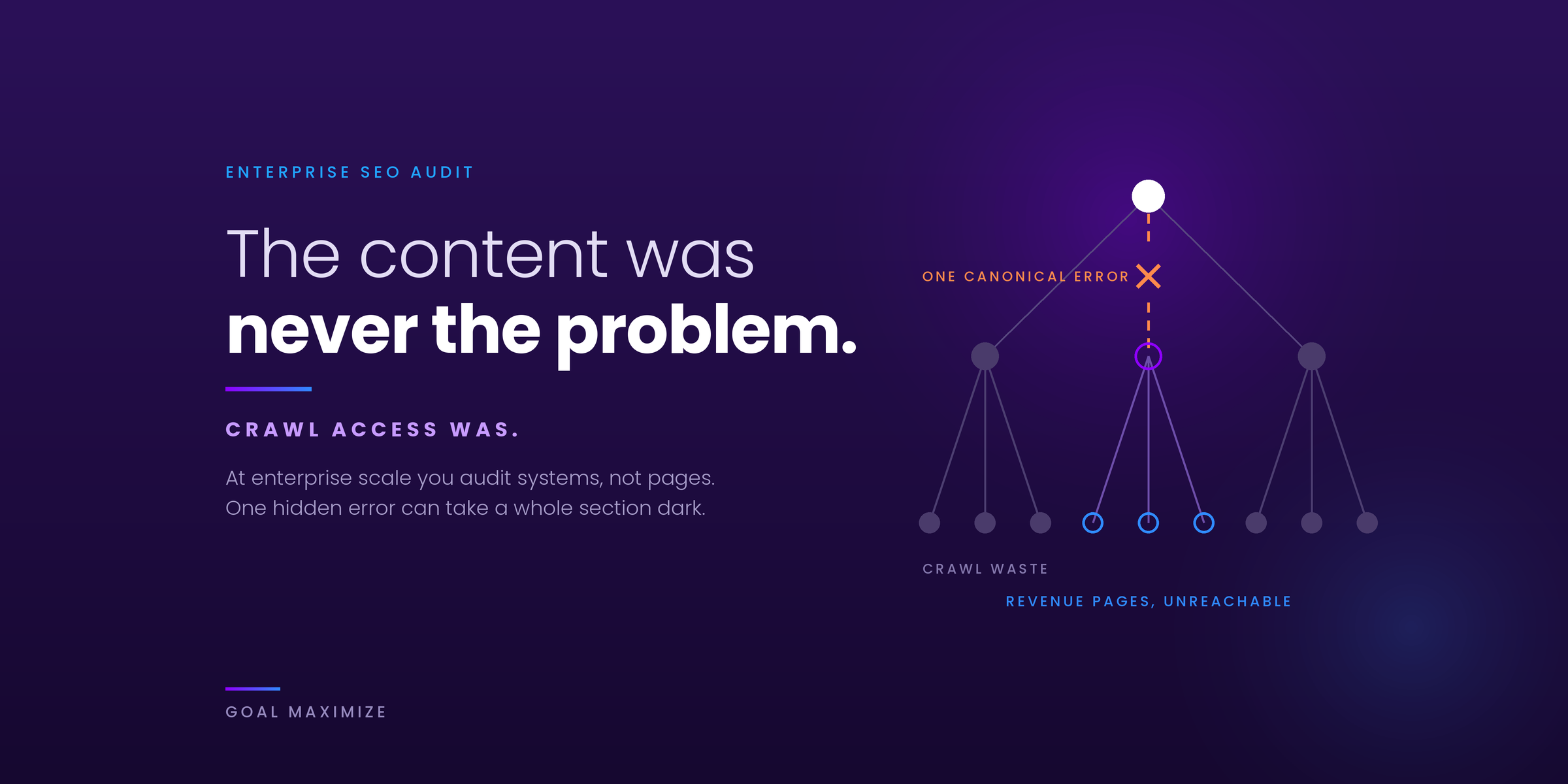
Running a proper enterprise SEO audit often reveals the real problem was never the content. It was how search engines accessed that content in the first place. For enterprise sites, small mistakes scale into massive traffic losses. This checklist shows you exactly what to review before you pour more budget into scaling.
Why Enterprise SEO Audits Differ From Small Site Checks
Most SEO checklists ask you to check meta descriptions and fix broken links. That works for a small blog. But for large US businesses with thousands or even millions of pages, the game changes completely.
When you run an enterprise SEO audit, you are looking at systems, not just pages. You are checking how the CMS talks to the server. You are reviewing how different departments publish content without breaking what already ranks. You are looking for crawl waste, index bloat, and canonical mistakes that can take down entire sections of your site overnight.
In our experience auditing enterprise sites, a bad quarter often traces back to one hidden technical issue that went unnoticed for months, not a content or targeting problem. An enterprise-level SEO audit is not about finding every small mistake. It is about finding the mistakes that actually matter to your bottom line.
What You Actually Need Before Starting an Enterprise Website SEO Audit Report
Do not open your crawling tool and start immediately. That is how you miss the big picture.
First, gather your historical data. You need at least 12 months of Google Search Console data. You also need analytics data showing which pages drive revenue, not just traffic. For large US businesses, traffic without conversion tracking is just noise.
Second, understand your site architecture. Get a sitemap from your development team. Better yet, have them explain how the CMS generates URLs. Many enterprise SEO audit strategies fail because the auditor assumed the site worked one way, but the CMS worked completely differently.
Third, document your business goals. Are you scaling ecommerce traffic? Building B2B leads? Supporting a national retail chain with local pages? Your technical audit for enterprise websites must tie back to what the business actually needs.
The Technical Foundation Check
Before you touch content or keywords, verify that search engines can properly access your site. This sounds basic, but we’ve seen Fortune 500 companies unknowingly block Google from entire site sections for months without realizing it. If you want a primer first, our guide to technical SEO fixes for sites Google can’t find covers the basics.
Crawl Budget Analysis
Large sites have thousands or millions of pages. Googlebot does not crawl them all equally. When you conduct an enterprise SEO audit, you need to see where Google spends its time.
Pull your crawl stats from Google Search Console. Look for sharp drops in pages crawled per day. Look for spikes in crawl time. These often indicate server issues or major site changes.
Then check your log files. This is non-negotiable for enterprise work. Log files show you exactly what Googlebot requests and how your server responds. You might discover Google is wasting a significant share of its crawl budget on parameter URLs or filtered pages that should be blocked. Google’s own documentation for large sites confirms this is one of the most common ways big sites bleed crawl budget.
Indexation Audit
Having pages crawled is useless if they do not get indexed.
Run a site search command with key brand terms. See how many pages Google actually shows. Compare this to your total page count. If you have 500,000 pages but only 50,000 indexed, you have an indexation problem.
Common culprits include:
Thin content sections with little unique value. Poor internal linking that leaves pages orphaned. JavaScript dependencies that block rendering, something we see often in CMS builds that lean too heavily on client-side rendering. Noindex tags accidentally applied at the template level.
In one real case we worked on, a major retailer’s entire product category was noindexed because a developer applied the tag during a test and forgot to remove it. Six months of traffic lost over one line of code.
Templated page sets are another frequent source of index bloat. Programmatic builds that publish hundreds of near-identical pages can dilute a whole section if each page has nothing unique to offer. Our breakdown of programmatic SEO without thin content shows how to scale pages safely, and it is worth reviewing before you decide which templates to keep indexed.
Canonical and Pagination Checks
For enterprise sites, canonical tags either save you or destroy you.
Review your canonical strategy page by page, not just at the template level. Look for canonicals pointing to the wrong versions. For paginated series, each page should canonical to itself, and every page in the series should be reachable through plain, crawlable links, because Google no longer uses rel=next/prev as an indexing signal.
Also check parameter handling. Large ecommerce sites often have size, color, and style parameters creating duplicate content. Google retired the URL Parameters tool in Search Console, so your enterprise SEO audit strategy needs a clear plan built on robots.txt rules, canonical tags, noindex where appropriate, and consistent internal linking.
Content Quality and Structure Review
Once you confirm technical accessibility, shift to content. This is where most enterprise SEO audits stop too soon. They check for duplicate content and move on. You need to go deeper.
Content Gap Analysis Against Competitors
Your competitors are not standing still. An enterprise website SEO audit report should include a competitive landscape review.
Use tools to identify keywords where competitors rank, but you do not. But do not just look at head terms. Look at the long tail. Large sites win by owning thousands of mid-funnel queries, not just the big money keywords.
Map existing content to customer journey stages. Most enterprise sites over-index on bottom-of-funnel product pages and under-index on middle-of-funnel educational content. This leaves traffic on the table because customers research before they buy.
Content Freshness and Decay
Pages lose traffic over time. It is natural. But enterprise sites often have thousands of decaying pages that could be revived with simple updates.
Run a content decay analysis. Find pages that lost significant traffic over the last 12 months. Check if the information is outdated. Check if competitors published better content. Check if search intent shifted.
One of our B2B software clients recovered 30% of lost traffic simply by updating statistics and adding current-year case studies to their top landing pages. The content was still relevant. It just looked old.
Internal Linking Structure
Enterprise sites suffer from broken internal linking more than any other issue.
Review your pillar content and see what links to it. Often, your most important pages have few internal links because they live in silos. Content created by marketing does not link to product pages. Product pages do not link to educational resources.
Fix this by implementing topic clusters. Group related content together and ensure they link appropriately. This passes authority and helps users navigate.
Backlink Profile and Authority Assessment
You cannot scale traffic without authority. For enterprise SEO audits, backlink analysis goes beyond counting links.
Toxic Link Identification
Large sites attract spam links. It is inevitable. But Google holds you responsible for your link profile.
Run your backlinks through quality checks. Look for links from gambling sites, porn sites, or pharmaceutical spam. Look for links from non-English sites pointing to your US-focused content. Look for sudden spikes in low-quality links, which often indicate negative SEO attacks.
Disavow only when necessary. Many enterprise sites over-disavow and lose valuable links. Be surgical.
Competitor Link Gap Analysis
Where do your competitors get links that you do not?
Analyze their top linking domains. Look for patterns. Are they getting press coverage you missed? Are they sponsoring events? Are they referenced in industry roundups?
This feeds your content and PR strategy. An enterprise SEO audit strategy should always include actionable insights for building authority, not just cleaning up messes.
User Experience and Core Web Vitals
Google cares about user experience. More importantly, users care about user experience. If your site loads slowly on mobile, you lose traffic regardless of how good your content is. We’ve written in more depth about what actually moves conversion numbers on the design side, and the overlap with technical SEO is bigger than most teams expect.
Core Web Vitals Review
Check your Core Web Vitals in Google Search Console. Look for pages with poor LCP, INP, or CLS scores. INP replaced FID as the responsiveness metric in March 2024, so any audit template still reporting FID is out of date. According to web.dev’s Core Web Vitals guidance, a good experience means an LCP of 2.5 seconds or less, an INP of 200 milliseconds or less, and a CLS of 0.1 or less, measured at the 75th percentile of page loads. But do not stop at the aggregate data.
Test specific page templates. Your homepage might load fine. Your product listing pages might be bloated with images and third-party scripts. Your blog pages might have render-blocking resources slowing them down.
Work with development to prioritize fixes based on traffic impact. Fixing a slow template that affects 10,000 pages matters more than fixing a slow template that affects 50 pages.
Mobile Usability
Enterprise sites often fail mobile usability in subtle ways.
Check for text that is too small to read. Check for tap targets too close together. Check for viewport configuration issues. Check for content that requires horizontal scrolling.
Structured Data and Rich Results
Schema markup helps Google understand your content. It also helps you earn rich results that stand out in search. If you are new to the topic, start with our guide to schema markup and rich snippets for business.
Current Markup Audit
Run your site through schema testing tools. Check for errors, warnings, and missing properties.
Many enterprise sites implemented schema years ago and never updated it. Review your markup against current Google guidelines. What worked in 2020 might be incomplete or incorrect now.
Opportunities for Enhancement
Look for pages that could support additional markup. Product pages should have offers, reviews, and availability. Article pages should have author, date, and publisher information. Local pages should have address, phone, and hours.
Rich results do not guarantee higher rankings. But they improve click-through rates, which indirectly helps performance.
AI Search Readiness for Enterprise Sites
Search is no longer just ten blue links. Google’s AI Overviews and AI Mode, ChatGPT search, and similar tools now answer questions directly and cite a handful of sources. For a large site, being citable depends on the same fundamentals this audit already covers, plus a few checks specific to AI systems. Google states in its guidance on AI features and your website that there are no additional requirements to appear in AI Overviews or AI Mode: a page needs to be indexed and eligible to show with a snippet. So the goal of this section is to make sure nothing in your enterprise stack gets in the way.
AI Crawler Access
Different bots do different jobs, and enterprise sites often block them by accident. OpenAI documents three crawlers: OAI-SearchBot, which surfaces sites in ChatGPT search; GPTBot, which collects content that may be used to train models; and ChatGPT-User, which fetches pages when a person asks ChatGPT a question. Each is controlled separately in robots.txt, so you can stay visible in AI search while opting out of training if that is your policy. On the Google side, Googlebot rules govern Search crawling, while Google-Extended is a separate control for how some of Google’s other AI systems use your content.
Decide your policy for each crawler and write it down. Then check where policy usually breaks in practice: CDN and firewall rules, bot-management tools, rate limiting, and geo-blocks that return errors to crawlers you meant to allow. Your log files will show what is actually getting through. Also confirm that your main content is present in the HTML a crawler receives and is not hidden behind logins or heavy client-side rendering.
llms.txt: Optional, Not a Priority
The llms.txt proposal suggests publishing a curated, Markdown-formatted index of your most important pages for AI tools. It is easy to create, but it is not a ranking factor, and Google says no special AI text files or markup are needed to appear in its AI features. We have not seen a major search or AI platform confirm that it depends on the file. If you run a documentation-heavy or developer-focused site, publishing one is cheap and harmless. For everyone else, record the decision in your audit and spend engineering time on crawl access, rendering, and content quality first.
Entity Consistency
Search engines and AI systems build their understanding of who you are and what you offer from many signals. Enterprise sites often suffer from terminology drift: different departments call the same product, service, or location by different names, and the site ends up contradicting itself. That confuses Google and dilutes your authority on key topics.
Audit your brand, product, and service names across page titles, headings, schema, your Google Business Profile, and major third-party profiles. Pick one canonical name per entity and define it clearly on one authoritative page. Use Organization markup with a consistent @id and sameAs links to your official profiles, and reuse that same @id wherever the organization is referenced.
Schema at Scale
On a small site, schema is a plugin setting. On an enterprise site, it is an engineering system. Generate markup from structured CMS fields at the template level rather than pasting it page by page, so one fix reaches thousands of URLs. Keep one source of truth for each entity, validate a sample from every template before and after each release, and watch the enhancement reports in Search Console for sudden error spikes. Markup should always match what is visible on the page. For a deeper look at types and implementation, see our schema markup guide.
Answer-Ready Content and Conversational Queries
Review whether your key pages answer the question early, use headings that match how people actually phrase queries, name their authors, and cite their sources. Voice and chat queries tend to be longer and more conversational, so FAQ sections that give direct answers help in both traditional and AI results. Then start measuring: note which of your pages are cited in AI Overviews and AI answers, segment AI referral traffic in your analytics, and compare what your cited pages have in common.
Practical Steps to Execute Your Audit
Theory matters. Execution matters more.
Start with the crawl. Use enterprise-level crawling tools that can handle millions of pages without crashing. Segment your crawl by site section. Analyze patterns before diving into individual pages.
Prioritize issues by business impact. A technical error on your checkout pages matters more than a missing alt tag on a blog image from 2019. An indexation problem in your highest traffic category matters more than slow loading on archived press releases.
| Priority | What it includes | Typical timeline |
|---|---|---|
| Fix now | Noindex tags on live pages, robots.txt blocking key sections, 5xx server errors, broken canonicals on high-traffic pages, CDN or firewall rules blocking crawlers you want to allow | Days |
| Plan next | Crawl budget waste from parameter URLs, thin or orphaned pages on important categories, missing or inconsistent schema on product or article pages | 1 to 3 months |
| Build over time | Content gap analysis against competitors, backlink profile cleanup, entity and terminology consistency across departments | 3 to 12 months |
Document everything. Your enterprise website SEO audit report should include clear findings, evidence, and recommended actions. Executives need to understand why these issues matter, and they care about revenue more than rankings, which is why we wrote about SEO reporting that earns executive attention. Developers need clear technical specifications. Content teams need guidance on what to update.
Set a timeline. You cannot fix everything at once. Phase your recommendations over 3, 6, and 12 months. Track progress and adjust as you go, the same way we recommend tracking digital marketing KPIs that actually tie back to revenue rather than vanity traffic numbers.
Download the Enterprise SEO Audit Checklist
We have turned this whole audit into a working checklist for your team. Tick items off below, then download it as a CSV that opens in Google Sheets or Excel, or print it and save as a PDF. Add owners and due dates in the sheet and use it as the working file for your audit.
Access & Crawling
Indexation
Content & Internal Linking
Authority & Backlinks
Experience & Core Web Vitals
Structured Data
AI Search Readiness
Reporting & Roadmap
Enterprise SEO Audit FAQ
How often should we run an enterprise SEO audit?
A full audit once a year is a reasonable baseline for most large sites, with lighter technical checks every quarter in between. If your site publishes constantly or your dev team ships changes weekly, quarterly full audits make more sense, since a single template change can quietly noindex thousands of pages before anyone notices.
How long does an enterprise SEO audit take?
For a site in the hundreds of thousands of pages, expect 4 to 8 weeks for the full technical, content, and authority review, plus time afterward to action the findings. Smaller enterprise sites, in the tens of thousands of pages, can usually be audited in 2 to 4 weeks.
What’s the difference between a crawl budget problem and an indexation problem?
A crawl budget problem means Google isn’t visiting your pages often enough, usually because it’s spending time on low-value URLs like filtered or parameter pages instead. An indexation problem means Google has crawled a page but chosen not to include it in search results, often due to thin content, duplicate content, or a stray noindex tag. The two are related but need different fixes; one is about where Google spends its time, the other is about what Google decides is worth keeping.
What does AI search readiness mean in an enterprise SEO audit?
It means checking that nothing on your site stops AI-powered search tools from finding, understanding, and citing your content. In practice that covers crawler access (robots.txt, CDN, and firewall rules), entity consistency across the site, schema generated accurately at scale, and content that answers questions clearly. Google says there are no extra technical requirements for AI Overviews beyond being indexed and snippet-eligible, so most of the work is making sure your existing foundations hold up.
The Real Value of an Enterprise SEO Audit
The best audit does not just find problems. It finds opportunities.
When you finish your audit, you should know exactly where to focus your traffic scaling efforts. You should know which technical fixes will unlock the most growth. You should know which content gaps, when filled, will capture new search demand.
Large US businesses have advantages smaller sites lack. You have resources. You have authority. You have existing traffic you can build upon. An enterprise-level SEO audit simply removes the barriers between you and scalable growth.
Do not treat it as a one-time check. Treat it as the foundation of your ongoing SEO strategy. Review, adjust, and improve continuously. Search changes. Your site changes. Your customers change. Your audit should change with them.
The difference between enterprise sites that scale traffic and those that stall is simple. The winners run audits that actually lead to action. They do not just collect data. They use it.
Now it is your turn. Start with the technical foundation. Move through content and authority. Check your AI search readiness. And fix what matters most first.
Your next traffic milestone is waiting. Go find it.
At Goal Maximize, we help large US businesses run enterprise SEO audits that turn findings into measurable growth. Not sure where to start? Contact us and we will point you to the issues that matter most.

**Shalini Thakur** is an SEO Specialist at Goal Maximize with 9+ years of experience in technical SEO, content strategy, and AI-powered search optimization. Specializes in data-driven SEO strategies, website optimization, content development, and adapting websites to the evolving AI-powered search landscape.