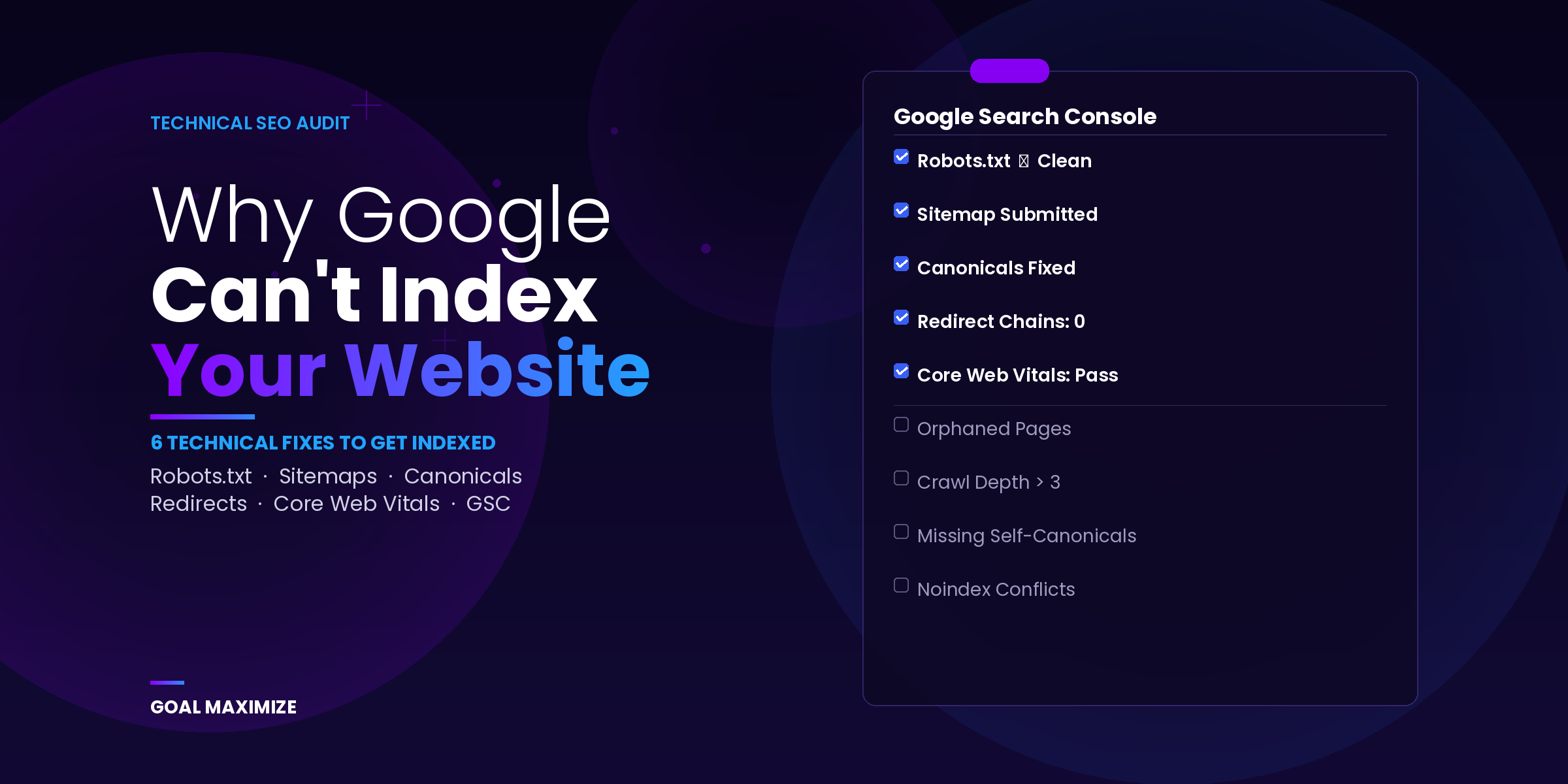
We get this call at least twice a month. Someone says, “We just redid the whole site; it looks amazing, but traffic dropped.” So we pull up Google Search Console and the answer is sitting right there. Half the pages are in “Discovered, currently not indexed.” Google knows they exist but never came back to actually crawl them.
That’s the thing about technical SEO. Your visitors might love the redesign, but Google doesn’t see your site the way visitors do. It sees crawl directives, canonical tags, sitemap files, response codes, and page speed metrics. And if any of those are broken, your content won’t show up in search results no matter how good it is. We’ve talked before about what it takes to rank higher on Google, and content quality absolutely matters. But content that Google can’t reach might as well not exist.
A technical SEO audit is how you find those breaks. Not a dashboard “site health score.” An actual page-by-page review of how your site communicates with crawlers. Here’s what we check on every audit and what you should be looking at too.
Robots.txt: A Few Lines That Can Block Your Entire Site
Googlebot reads this file before it touches anything else on your domain. It’s a plain text file at yourdomain.com/robots.txt that tells crawlers what they’re allowed to access. If something’s wrong here, nothing else you do matters because Google won’t even get through the door.
The mistake we see most often? A leftover Disallow: / from staging. A developer adds it to keep the unfinished site out of Google; the site launches, nobody removes it. The whole domain is blocked from crawling, and everyone assumes everything’s fine because the site loads in a browser.
Go pull up your robots.txt right now. Make sure your sitemap URL is listed in there. Check that /blog/ and /services/ aren’t blocked. If you’re on WordPress, /wp-admin/ should be disallowed but /wp-content/uploads/ shouldn’t, because Google needs access to images to render pages properly. You can test specific URLs against your rules using the Robots Testing Tool in Search Console.
Your Sitemap Might Be Hurting More Than Helping
A sitemap is a list of URLs you want Google to index. But when that list is full of 404s, redirects, and pages you deleted 6 months ago, it tells Google your site isn’t well maintained. And Google starts treating it that way.
When we take on a new client, one of the first things we do is run their sitemap through Screaming Frog and compare it against a full crawl. The gaps are always bigger than anyone expects. Pages that should be there are missing. Pages that were removed ages ago are still listed. Redirected URLs are cluttering the file.
Clean it up so every URL in there returns a 200 status code. Then go to Google Search Console, Indexing > Sitemaps, and submit it. You’d be surprised how often we find sites where the sitemap was generated but never actually submitted. It exists on the server, but nobody told Google where to find it.
Organic visibility belongs on the same dashboard as conversion rate and cost per lead. If it’s not there yet, your marketing performance tracking has a blind spot.
Canonical Tags and Why Google Picks the Wrong Page
Most websites serve the same content at multiple URLs without realizing it. Trailing slash, no trailing slash. HTTP, HTTPS. URL with a category prefix, URL without one. WordPress can generate 3 or 4 variations of a single page on its own.
Canonical tags are supposed to tell Google which version is the real one. But when those tags are missing, wrong, or contradicting each other, Google just picks whichever version it feels like. Sometimes that’s the one with ?utm_source=newsletter stuck on the end.
Every indexable page needs a self-referencing canonical. That’s the baseline. After that, look for circular references where Page A canonicalizes to Page B and Page B points right back to A. Also check for canonicals pointing to URLs that return errors. We see both of these regularly on sites running multiple SEO plugins that each try to handle canonicalization.
This is one of those things that’s way easier to get right from the start. A solid website development process handles URL normalization before launch. Retrofitting it later is always messier and takes longer.
Redirect Chains Are Quietly Eating Your Crawl Budget
Redirects pile up over time. Every migration, every URL change adds a layer. After a couple of years, you end up with chains where an old URL bounces through 3 or 4 intermediate redirects before reaching the actual page. Each bounce bleeds crawl efficiency and dilutes link equity.
Redirect loops are worse. URL A sends Google to B, B sends it back to A, and the crawler gives up. We found 23 of these on a client site last quarter. They’d been there for over a year, and nobody noticed.
Fix them by running a crawl in Screaming Frog, filtering for chains and loops, and updating every redirect to go straight from the old URL to the final destination in a single 301 hop. While you’re in there, check for 302s that should be 301s. A 302 tells Google the old URL might come back, so it hangs onto the original in its index. If the move is permanent, make it a 301.
Teams that treat content marketing as a long-term channel often miss this one. Redirect chains quietly eat away at the link equity those posts should be accumulating. It’s one of those unsexy fixes that pays off fast.
Slow Pages Hurt Rankings and They Hurt Revenue
Google measures page experience through 3 metrics called Core Web Vitals. LCP (Largest Contentful Paint) is how fast the main content loads. INP (Interaction to Next Paint) is how quickly the page responds when someone clicks or taps. CLS (Cumulative Layout Shift) is how much stuff jumps around while the page renders.
The benchmarks: LCP under 2.5 seconds, INP under 200 milliseconds, CLS under 0.1. These have been ranking signals since 2021. And research from Google and Akamai (originally published under the SOASTA brand before the acquisition) showed that bounce probability goes up 32% when load time moves from 1 to 3 seconds.
What actually moves the needle on most sites we work on:
For LCP, compress hero images to WebP and defer JavaScript that isn’t needed for the initial render. On one client site, swapping a 2.4MB PNG hero to a 180KB WebP file dropped LCP from 4.1 seconds to 1.8.
For INP, it’s almost always third-party scripts. Chat widgets, analytics pixels, social embeds, retargeting tags. We regularly pull out 3 to 5 scripts that nobody on the client’s team even remembers adding.
For CLS, set explicit width and height on every image and video element, and preload web fonts so text doesn’t reflow.
Check your numbers in Search Console under Experience > Core Web Vitals. We’ve also written about the direct link between page speed and revenue if you want the business case behind these metrics.
The Search Console Report You Should Check Every Week
The Pages report in Google Search Console shows you exactly what Google is doing with every URL on your site. Two statuses in the “Not indexed” section tell you a lot:
“Discovered, currently not indexed” means Google knows about the page but hasn’t crawled it yet. Usually a priority issue. The page is too deep in the site, doesn’t have enough internal links pointing to it, or Google just doesn’t see it as worth the trip compared to everything else on your domain. If you’re tracking your marketing KPIs, watch for this status on pages that are supposed to be driving organic traffic.
“Crawled, currently not indexed” is a different story. Google visited the page, read it, and decided not to put it in search results. Thin content, duplication, or weak quality signals are the usual reasons. If important pages show up here, you need to work on the content itself, not just the technical setup.
Check this report weekly. Catching an issue in week 1 is a quick fix. Letting it sit for 3 months turns it into a recovery project.
Site Structure: Keep Your Best Pages Within 3 Clicks
If important content is buried 4 or 5 clicks deep from the homepage, Google might not crawl it often enough to keep it indexed. Flat structures work better. Homepage to category pages to individual pages, with nothing critical sitting deeper than 3 levels.
Pillar pages should work as hubs that connect all the related content around a topic. When you’ve done your keyword research properly, those connections between pages happen naturally because the content is already organized around related topics.
Use Screaming Frog’s Crawl Depth report to find orphaned pages and anything buried at depth 4 or deeper. Fix them with real contextual links from related content. Sidebar widgets that dump links everywhere without any relevance don’t count.
Quick Reference: What to Check and Where
| Area | Tool | What to Fix |
|---|---|---|
| Robots.txt | GSC Robots Tester | Remove accidental blocks, reference sitemap |
| XML Sitemap | Screaming Frog | Remove non-200 URLs, add missing pages, resubmit |
| Canonical Tags | Screaming Frog | Fix conflicts, add self-referencing canonicals |
| Redirects | Screaming Frog | Flatten chains, kill loops, swap 302s to 301s |
| Core Web Vitals | PageSpeed Insights + GSC | LCP < 2.5s, INP < 200ms, CLS < 0.1 |
| Indexation | GSC Pages Report | Resolve “not indexed” and “crawled not indexed” |
| Site Architecture | Screaming Frog Crawl Depth | Max depth 3, link orphaned pages |
Why This Matters More Now Than a Couple of Years Ago
Google’s crawl budget isn’t unlimited, and they’ve been getting pickier about what earns a spot in the index. We’ve been watching how AI is changing search over the past year, and the pattern is pretty clear. Sites with clean technical setups keep their visibility. Sites with messy redirects, broken canonicals, and buried pages lose ground gradually, sometimes without even noticing until traffic is half of what it used to be.
Frequently Asked Questions
How often should a technical SEO audit happen?
Every quarter at minimum. After any migration, redesign, or big URL change, run one right away. We also tell clients to check the Pages report in Search Console every week because indexation problems pile up faster than people expect.
Our site is indexed, but pages aren’t ranking. Is that technical?
Sometimes, but usually not. Once pages are indexed, rankings come down to content quality, keyword targeting, and backlinks. That said, poor Core Web Vitals and weak internal linking can hold indexed pages back. A technical audit helps you figure out whether the bottleneck is infrastructure or content.
Can a technical audit fix “Discovered, currently not indexed” errors?
In most cases, yes. That status usually means Google isn’t prioritizing the page for crawling. Better internal links, a clean sitemap, and less crawl waste on the rest of the site usually move those pages into the index within a few weeks.
What’s the difference between a technical audit and a full SEO audit?
A technical audit covers crawlability, indexation, speed, and architecture. A full audit adds content strategy, keyword research, backlink analysis, and competitor benchmarking. Our SEO growth playbook walks through how all of those pieces connect into a single strategy. If pages aren’t getting into the index at all, start with the technical side.
Do we need paid tools for this?
Search Console is free and covers indexation, Core Web Vitals, and robots.txt testing. Screaming Frog’s free version handles up to 500 URLs, which works for a lot of mid-market sites. The paid version is about $259/year and worth it if your site is bigger than that.
What to Do Next
If your pages are stuck in Search Console limbo, or traffic dropped after a redesign and you can’t figure out why, start with the technical layer. Our team runs these audits for mid-market businesses across industries. Request a technical SEO review, and we’ll show you what’s holding your site back and how to fix it.

**Shalini Thakur** is an SEO Specialist at Goal Maximize with 9+ years of experience in technical SEO, content strategy, and AI-powered search optimization. Specializes in data-driven SEO strategies, website optimization, content development, and adapting websites to the evolving AI-powered search landscape.