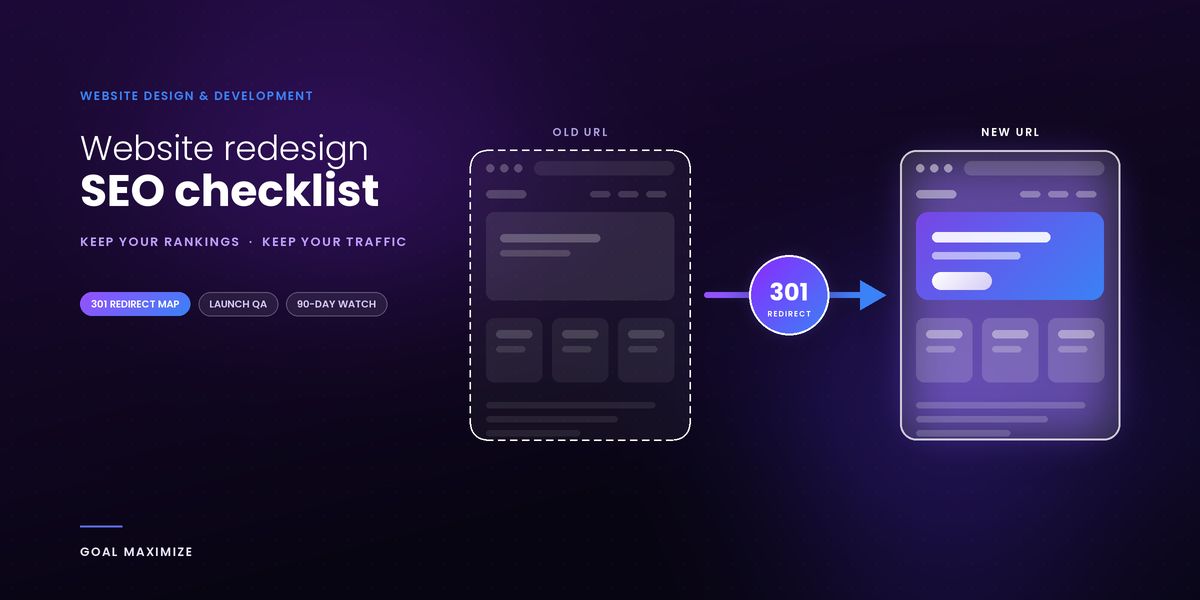
A website redesign changes the things search engines rely on: URLs, page content, internal links and page speed. Change them without a plan and pages that earned their rankings can lose them. This checklist shows how to redesign your website without losing SEO, in 4 phases, and includes a redirect map template you can download. If you are still scoping the project, start with our website design and development guide.
Short answer: keep URLs, titles, headings and internal links stable for pages that perform, 301 redirect every old URL that changes to its closest new page, keep staging out of Google and remove that block at launch, then monitor for 90 days. Recovery time varies by site, so no fixed timeline is promised. Last reviewed: 19 November 2026.
Why redesigns lose traffic (the 6 usual causes)
Will a redesign hurt my rankings? It can, and when it does the cause is usually 1 of 6 avoidable changes. The list is our summary of the failure points, and the redirect, staging and sitemap points follow Google’s site-move guidance (Google Search Central, read 19 November 2026).
| # | Cause | What it looks like | Fixed in |
|---|---|---|---|
| 1 | URLs change with no redirects | Old URLs return 404 and backlinks stop passing visitors or value | Phase 2 |
| 2 | Redirects go to the wrong place | Many old URLs sent to the home page, which Google advises against | Phase 2 |
| 3 | Content, titles and headings are rewritten | A ranking page loses the words it ranked for | Phases 1 and 2 |
| 4 | Internal links and navigation shrink | Pages lose the links that helped crawlers and visitors reach them | Phase 2 |
| 5 | Staging blocks carry over, or staging gets indexed | The live site launches with a noindex tag, or the test site shows up in results | Phases 2 and 3 |
| 6 | The new site is slower or loses tracking | Heavier pages, missing analytics, dropped structured data | Phases 3 and 4 |
Cause 6 is a revenue problem as well as a ranking one. Our analysis of page speed and revenue shows why a prettier but slower site can cost sales. Causes 1 to 5 are mostly crawling and indexing faults of the kind we cover in our guide to technical SEO fixes.
How long until traffic recovers? Google says most pages on small to medium sites are typically handled within a few weeks after a move, and that larger sites take longer. That describes how fast Google reprocesses URLs. It is not a promise about rankings. Recovery depends on how much changed, how well your redirects map, your site’s size and your competition, so treat any fixed recovery number you read elsewhere as a guess.
Phase 1 – Before you design
Benchmark traffic, rankings and conversions
You cannot tell whether the redesign hurt you without a before picture. At least 1 week before work starts, export the following from Search Console and your analytics, and save the files with the date:
- Clicks, impressions and average position by page and by query for the last 12 months (we suggest 12 months so seasonality shows)
- Organic sessions and conversions by landing page
- Your indexed page count, and non-indexed pages with the reasons given
- Page speed and Core Web Vitals for your 5 most important page templates
- Current positions for your top 20 queries
Keep this file, because every threshold in Phase 4 is measured against it. Still budgeting? Our how much a website costs guide covers typical price ranges.
Crawl and inventory every URL
Your inventory is the list of every URL that exists today. Google’s guidance suggests building it from your sitemaps, server logs, CMS, analytics and the Search Console links report, and including images, videos, JavaScript and CSS files (Google, read 19 November 2026). Then run a crawler across the live site to catch anything those sources missed.
Merge everything into 1 sheet with 1 row per URL, with columns for status code, title, H1, organic clicks, backlinks and page type. This sheet becomes your redirect map in Phase 2, and it shows the thin, duplicate and dead pages you do not need to carry over. Our SEO audit checklist lists what to review here, and our website audit study shows which problems turn up most often.
Identify pages that must not change
Rank pages by organic clicks, backlinks and conversions, and mark the top group High priority. Our rule of thumb is to protect the pages that together deliver about 80% of your organic clicks, which is a judgment call, not a standard. For each High page, freeze 4 things:
- The URL, unless you have a strong reason to change it
- The title tag and H1
- The main body copy, so the words that earn the ranking stay on the page
- The internal links that point to it
Redesign the layout around that content, not instead of it. Other pages can change more freely, provided every changed URL is redirected.
Phase 2 – During the build
Redirect map (old URL to new URL)
A redirect map is a table that sends each old URL to the page that replaces it. Google’s site-move guidance sets the rules (Google, read 19 November 2026):
- Use server-side permanent redirects, such as 301 or 308. Client-side redirects are a last resort.
- Send each old URL straight to its final destination. Google says chains should ideally be no more than 3 and fewer than 5 hops. We aim for 1.
- Do not redirect many old URLs to 1 unrelated page, such as the new home page.
- Keep redirects for as long as possible, generally at least 1 year.
What is the minimum redirect work? Redirect every old URL that changes and has traffic, backlinks or a place in your navigation or sitemap, plus the site-wide variants (http to https, www or non-www). URLs that stay the same need no redirect. For a page with no real replacement, we suggest a 404 or 410 rather than a weak redirect. That last point is our recommendation, not a Google rule.
| Old URL | New URL | Type | Priority |
|---|---|---|---|
| /services/web-design.html | /services/web-design/ | 301 | High |
| /blog/2021/05/seo-basics/ | /blog/seo-basics/ | 301 | High |
| /products/?id=42 | /shop/blue-widget/ | 301 | Medium |
| /about-us | /about/ | 301 | Medium |
| /summer-sale-2019/ | (no equivalent) | 410 | Low |
| http://example.com/ | / | 301 | High |
Keep titles, headings and internal links
Redesigns often rewrite copy to fit a new layout. For every High page, carry the title tag, meta description, H1 and subheadings into the new build and change them only on purpose. Then check 3 things that quietly disappear:
- Internal links. Point menus, footer links and in-content links straight to the new URLs instead of relying on redirects. Google also says to update canonical tags and hreflang annotations to the new URLs.
- Structured data and canonical tags on every template. Our guide to technical SEO fixes shows what to check.
- Image alt text and file names, which feed image search.
Staging site: block indexing, then un-block at launch
Keep the test site out of Google, but do it the right way. Google says robots.txt is not a way to keep a page out of Google, and that a blocked URL can still appear in results if other pages link to it (Google robots.txt guide). To keep a page out of the index, Google recommends noindex or password protection, and a noindex page must not be blocked by robots.txt or the crawler never sees the rule (Google noindex guide).
Our approach is a password on staging, with noindex as a backup. At launch, remove all 3 blocks: the password, the noindex tag or X-Robots-Tag header, and any Disallow: / line in robots.txt. On WordPress, also untick “Discourage search engines from indexing this site” in Settings > Reading, which adds a noindex tag (WordPress documentation). Forgetting this is an easy way to launch a site that cannot rank.
Phase 3 – Launch day checklist
Run these in order, tick each line off and give every item an owner. If a High-priority URL fails a check, fix it the same day. The crawl in the last group is the same kind of review as in our SEO audit checklist.
Before the switch
- ☐ Redirect map is loaded on staging and every old URL returns a 301 to its mapped URL in 1 hop
- ☐ Canonical tags on new pages point to the new URL of that page
- ☐ XML sitemap lists only new URLs that return 200 and are indexable
- ☐ Analytics and conversion tracking fire on staging (submit 1 test form and 1 test order)
At the switch
- ☐ Staging password is removed, and no noindex tag, X-Robots-Tag header or Disallow: / rule remains
- ☐ WordPress only: Settings > Reading, “Discourage search engines” is unticked
- ☐ robots.txt allows crawling and points to the new sitemap
- ☐ HTTPS works and http, non-www and www all redirect to 1 version of the site
- ☐ Submit the new sitemap in Search Console once the redirects are live
Within 24 hours
- ☐ Crawl the live site: no 404s, redirect chains or noindex tags on pages you want indexed
- ☐ Spot-check your 20 highest-traffic old URLs in a browser and in Search Console’s URL Inspection tool
- ☐ Test forms, checkout and phone links on a real phone
- ☐ A missing URL returns a real 404 status, not a “not found” page with a 200 status
- ☐ Save a day-0 snapshot of traffic, indexed pages and conversions to compare against later
Phase 4 – First 30, 60, 90 days monitoring
Expect some movement while Google reprocesses your URLs. The table shows when it stops being movement and needs action. The thresholds are our rules of thumb, not Google rules, so adjust them for your seasonality. Measure against your day-0 snapshot, checking weekly for 30 days, every 2 weeks until day 60 and monthly until day 90.
| Check | Where to look | Act now if (our thresholds) |
|---|---|---|
| Indexed pages | Search Console, Pages report | Indexed pages are more than 20% below your pre-launch count for 2 weeks in a row |
| Organic clicks, top 20 pages | Search Console, Performance report | Down more than 30% against the same weeks before launch for 2 weeks in a row (allow for seasonality) |
| Position of your top 20 queries | Search Console or a rank tracker | Average position worse by 5 or more places for 2 weeks in a row |
| 404s on old URLs that had traffic or links | Search Console, a crawler, server logs | Any High-priority URL from your map returns a 404 |
| Redirect chains and loops | A crawler | Any mapped URL needs more than 1 hop, or any loop appears |
| Server errors and crawling | Search Console, Crawl stats report | A spike in 5xx errors or a sudden drop in crawl requests |
| Organic conversions | Analytics | Down more than 20% while clicks are steady (suspect tracking or forms) |
| Page speed on key templates | PageSpeed Insights, Core Web Vitals report | Slower than the old site’s benchmark (see page speed and revenue) |
At each milestone, do 1 job well:
- Day 30: Re-crawl the site against your redirect map, fix every miss, and compare indexed pages with day 0.
- Day 60: Compare clicks and conversions by page group (service, blog, product) with your benchmark and look for groups that fell together.
- Day 90: Write a short before-and-after report. Keep every redirect in place, because Google advises at least 1 year.
Domain or CMS change: extra steps (change of address, replatforming)
If the domain changes, redirects are not the whole job. Google’s guidance adds these steps (Google Search Console Help, read 19 November 2026):
- Redirect each old page to its new equivalent with a 301, and the old home page to the new home page, first.
- Then use the Change of Address tool, only for moves between domains or subdomains. Google says not to use it for http to https, www changes or path changes. You must own both properties.
- Google says a move’s effects last 180 days, recommends keeping redirects at least that long (longer if they still get traffic) and recommends keeping the old domain registered for at least a year.
- Submit the new sitemap once the redirects are live, then remove the old one.
A CMS change (replatforming) often changes URL patterns without anyone choosing to: trailing slashes, a new /blog/ prefix, category paths, parameters and image folders. Crawl the old and new sites before launch and compare URL patterns, canonical tags, title and description fields, structured data and sitemap output, and confirm the new host can run your redirect map at server level. Still choosing a platform? Our WordPress vs headless CMS comparison covers the trade-offs. With a headless build, we suggest checking that your content appears in the HTML a crawler receives.
Downloadable redirect-map template
The template has the columns Phase 2 needs: old URL, new URL, redirect type, page type, organic clicks, backlinks, priority, title and H1 kept, status, test date and notes. It includes 6 example rows with invented numbers and dropdowns for redirect type, priority and status.
- Redirect map template (Excel .xlsx): download the template
How to use it:
- Delete the 6 example rows.
- Paste in every URL from your Phase 1 inventory.
- Add organic clicks from Search Console and backlink counts from your backlink tool.
- Mark the top pages High priority and map each old URL to its closest new page.
- Before launch, run the old URLs through a crawler or redirect checker, confirm each reaches its mapped URL in 1 hop and record the date.
You can also import the file into Google Sheets. Keep the finished map, because you need it for the Phase 4 checks.
FAQs
How do I redesign a website without losing SEO?
Keep the URLs, titles, headings and internal links of your best pages stable, send every changed URL to its closest new page with a 301 redirect, keep staging out of the index and remove that block at launch, then monitor for 90 days against a pre-launch benchmark.
Will a redesign hurt my rankings?
It can, but it does not have to. Losses usually come from the 6 causes listed near the top of this guide, and each is preventable. Some movement while Google reprocesses your pages is normal, so measure against your day-0 benchmark and use the Phase 4 thresholds.
Do I need 301 redirects for a redesign?
Only for URLs that change. A page with the same URL needs no redirect. If URLs, the domain, the protocol or the host change, every old URL with traffic, links or a place in your navigation needs a 301 to its closest new equivalent. Google recommends keeping redirects for at least 1 year.
How long does it take to recover rankings after a redesign?
It varies by site, so we will not give a number. Google says most pages on small to medium sites are typically handled within a few weeks after a move, but that describes reprocessing, not how long rankings take to return. Act on the Phase 4 thresholds instead.
Should I change URLs during a redesign?
Only if you have a reason you can defend, such as fixing a broken URL structure. Every changed URL needs a redirect and adds risk. Our default is to keep High-priority URLs and change the rest only when needed.
Next step: export your benchmark and crawl your live site this week. If you would like a team to run the audit, redirect map and launch checks with you, see our SEO services and website design and development services, or contact us.

Shalini Thakur is the Marketing Head at Goal Maximize with 10+ years of experience in SEO, content strategy, and AI-powered search optimization. Areas of focus include data-driven marketing strategies, technical SEO, content development, and keeping websites visible as search shifts to AI-generated answers.