
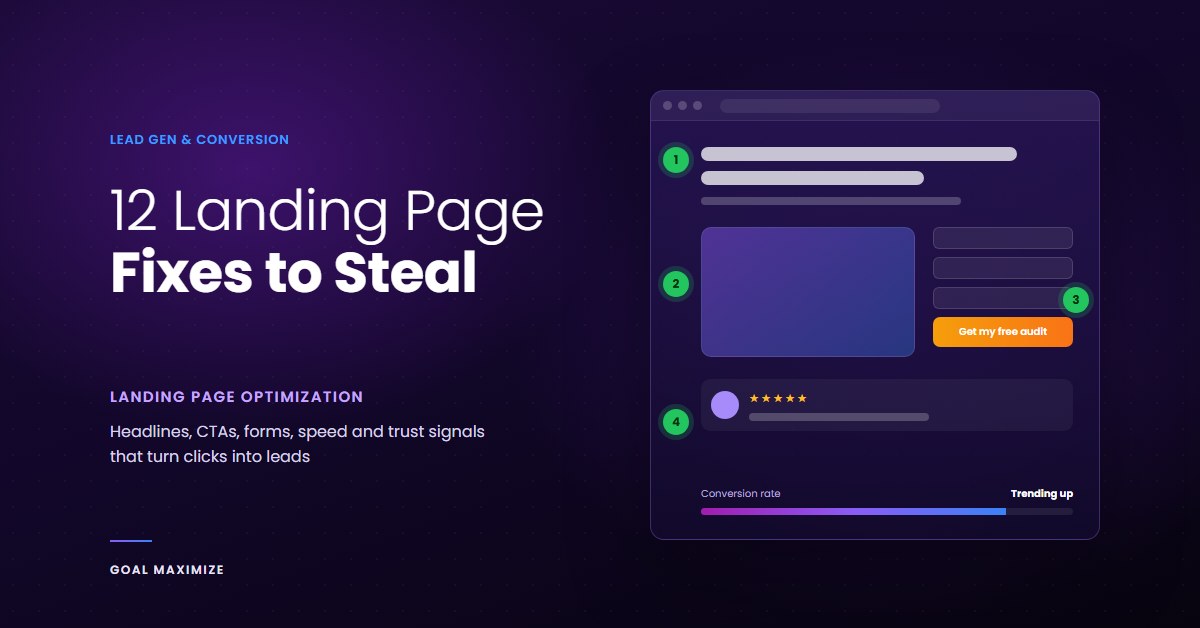
Most landing pages don’t fail because the traffic is bad. They fail because a visitor lands, scans for 5 seconds, can’t work out what the page wants from them, and leaves. You paid for that click. It walked straight back out the door.
Here’s the part nobody selling a page builder will tell you: no single change doubles a conversion rate. What gets you there is stacking a dozen unglamorous fixes, each worth a few points, until the page stops leaking. Unbounce analysed more than 41,000 landing pages for its Conversion Benchmark Report and found the median page converts at 6.6%. Getting a page from 6% to 12% is not magic. It’s landing page optimization done patiently, in the right order.
This post sits inside our lead generation playbook cluster. The playbook covers where leads come from. This one covers what happens in the first 10 seconds after they arrive. These landing page best practices are the same checks we run on client pages, with what to look for and what to change.
The 12 Landing Page Elements to Fix, at a Glance
| # | Fix | What it stops | Effort |
|---|---|---|---|
| 1 | Outcome-led headline | Instant bounces | Low |
| 2 | Hero that shows the product working | “What is this?” confusion | Medium |
| 3 | One clear CTA button | Decision paralysis | Low |
| 4 | Social proof beside the CTA | Last-second doubt | Low |
| 5 | Shorter form | Form abandonment | Low |
| 6 | Thumb-first mobile layout | Mobile drop-off | Medium |
| 7 | Faster load time | Bounces before the page renders | Medium |
| 8 | Trust badges near the form | Privacy and payment anxiety | Low |
| 9 | Honest urgency | “I’ll come back later” | Low |
| 10 | Tight above-the-fold layout | Visitors who never scroll | Medium |
| 11 | Believable testimonials | Skepticism | Low |
| 12 | Exit-intent offer | Lost visitors with zero follow-up | Low |
1. Rewrite the Headline So It Names an Outcome
Cover your logo and read the headline. Could a competitor paste it onto their page without changing a word? If yes, it’s not doing its job. “Smarter Marketing Solutions” says nothing. “Book 20 more sales calls a month without hiring another SDR” says exactly who it’s for and what they get.
3 headline formulas that work on almost any offer:
- [Result] without [pain]: “Clean books every month without chasing receipts.”
- [Do the thing] in [timeframe]: “Launch your online store in 14 days.”
- For [audience] who [situation]: “For clinic owners tired of empty appointment slots.”
Keep the words simple. The same Unbounce report found pages written at a 5th to 7th grade reading level converted at 11.1%, 56% higher than pages written at an 8th or 9th grade level. And match the headline to whatever sent the visitor there. If your ad promises a free audit, the page headline should say free audit. We cover how paid and organic traffic behave differently in our SEO vs PPC comparison, and that difference should shape the words you choose.
2. Make the Hero Image or Video Show the Product Doing Its Job
A stock photo of people smiling at a laptop is wasted space. Your hero should show one of 3 things: the product in use, the result the customer gets, or the kind of person you serve, looking like a real customer and not a model.
Video can work, with rules. Keep it under 90 seconds, give it a clear poster frame so it still makes sense before anyone presses play, and never autoplay with sound. A 15MB background video that delays the headline is worse than no video at all.
3. Design the CTA Button Like It’s the Only Thing on the Page
Your call to action should be the easiest thing to find on the screen: a colour used nowhere else on the page, enough white space around it to breathe, and copy that describes what the visitor gets. “Submit” and “Learn more” are the 2 laziest buttons on the internet. “Get my free audit” or “See pricing for my team” are better because they finish the sentence “I want to…”
- Size it for thumbs. Apple’s design guidelines recommend a minimum tap target of 44 by 44 points.
- Add a line of microcopy under it that removes the biggest worry: “No credit card. Takes 2 minutes.”
- Repeat the same CTA further down long pages, but keep it pointing at the same action.
Visual hierarchy is what makes a button feel obvious, and we go deeper on contrast, spacing and eye flow in UI/UX design principles that actually convert visitors into customers.
4. Move Social Proof Next to the Decision
Most pages bury their reviews in a carousel near the footer, far away from the moment a visitor is deciding. Put your strongest proof right beside the form or the button. That’s where doubt shows up, so that’s where the answer belongs.
Even a little proof goes a long way. Research from Northwestern University’s Spiegel Research Center found that a product with 5 reviews is 270% more likely to be purchased than one with none. You don’t need 500 testimonials. You need the right 3, placed where they get read.
5. Cut the Form Down to the Fields You’ll Actually Use
Every form field is a small tax on the visitor. For each one, ask a blunt question: will sales use this answer on the first call? If not, delete it. Job title, company size, budget and “how did you hear about us” can almost always wait, or be filled in later with an enrichment tool.
[IMAGE 2: annotated form before and after]
If you genuinely need more detail to qualify a lead, use a multi-step form. Start with the easiest question (a multiple-choice click), then ask for contact details on step 2 or 3, once the visitor has already invested a little effort. When we set up lead capture through our sales and lead generation services, trimming the form is usually the first change we make because it’s the cheapest one to test.
6. Build for the Thumb, Not the Monitor
Open your analytics and check the device split. For most businesses, mobile is the bigger share of landing page traffic, yet pages still get designed and approved on a 27-inch monitor. Then everyone wonders why mobile lags.
- Use a single column. Side-by-side blocks turn into a long, confusing stack on phones.
- Set the right input types so phones show the right keyboard (email fields get the @ key, phone fields get the number pad).
- Add tap-to-call for service businesses. Some people would rather talk than type.
- Keep pop-ups off the first screen on mobile. Google’s own guidance warns against intrusive interstitials that cover the main content.
Our full breakdown of mobile-first web design explains why starting from the small screen produces better desktop pages too.
7. Treat Page Speed as a Conversion Fix, Not a Dev Ticket
Speed feels like a technical problem, so it gets pushed to the bottom of the backlog. It’s a revenue problem. In the Milliseconds Make Millions study by Deloitte and Google, a 0.1 second improvement in mobile site speed lifted retail conversions by 8.4%, and bounce rates on lead generation pages improved by 8.3%.
The quick wins are almost always the same:
- Compress the hero image (under 150KB is a good target) and serve it in WebP.
- Lazy-load everything below the fold.
- Remove scripts you don’t need. A chat widget, 4 ad pixels and a heatmap tool can add seconds on their own.
- Check real-user data in PageSpeed Insights, not just the lab score on your office Wi-Fi.
We dig into the money side of this in how page speed affects business revenue.
8. Put Trust Badges Where the Anxiety Is
A row of 15 badges in the footer does nothing. 1 or 2 relevant badges right next to the form does a lot. Think about what the visitor is worried about at that exact moment. Handing over an email? Add a one-line privacy promise: “We never share your email.” Paying? Show the payment and security logos they already recognise. Selling to regulated industries? Put your SOC 2, GDPR or HIPAA compliance where it can be seen.
One rule: a badge nobody recognises is decoration. If you made up the “Certified Excellence” seal in Canva, take it down.
9. Use Urgency Only When It’s Real
Fake countdown timers that reset when you refresh the page are the fastest way to lose trust. People notice. Real urgency works because it’s true: a cohort that starts on a fixed date, a limited number of onboarding slots each month, a price change with a real deadline, or a seasonal cut-off.
For B2B offers, urgency usually means the cost of waiting. Show what another quarter of the current problem costs in lost leads, wasted hours or missed revenue. That’s more persuasive than any timer.
10. Fix the Above-the-Fold Layout
People do scroll, but they don’t give every part of the page equal attention. Eye-tracking research from Nielsen Norman Group found users spent about 57% of their viewing time above the fold, and 74% within the first 2 screenfuls.
So the first screen has to answer 3 questions without any scrolling: what is this, is it for me, and what do I do next? In practice, that means the headline, a one-line subhead, the CTA, one proof element and a relevant visual. Long pages are fine for complex or expensive offers. They just can’t hide the point. Test your fold at a 360 by 800 phone viewport as well as a standard laptop screen.
11. Format Testimonials So People Believe Them
“Great service! 5 stars. J.S.” convinces nobody. A believable testimonial has 4 things: a full name, a photo, a role and company, and a specific result. “We went from 12 demo requests a month to 31 in the first quarter” beats a paragraph of general praise every time.
- Keep each quote to 2 or 3 sentences.
- Pull the strongest phrase out as a bold mini-headline above the quote.
- Use short video testimonials for high-ticket offers, where the buyer wants to see a real face.
- Only use words the customer actually said, and get their permission in writing.
12. Catch Leavers With an Exit-Intent Offer That’s Actually Different
Most visitors won’t convert on the first visit. Exit-intent pop-ups give you one last chance. On desktop, they trigger when the cursor heads for the tab bar. On mobile, use a scroll-up or time-on-page trigger instead, and keep it small.
The mistake is repeating the same offer that the visitor just ignored. Offer something lighter: a checklist, a pricing guide, a 5-day email course. Show it once per visitor, not on every page. Then follow up properly, because a captured email with no nurture sequence is just a name in a spreadsheet. Email marketing is still one of the highest-ROI channels for turning those soft leads into sales conversations.
How to Roll These Out Without Breaking What Works
If you want to improve landing page conversion rate without guessing, don’t change all 12 things on Monday. You’ll never know what worked. Start with the fixes that cost the least and leak the most: headline, CTA, form length and speed. Then move to layout, proof and trust.
- Get a baseline. Record your current conversion rate by device and traffic source for at least 2 weeks.
- Test one change at a time if you have the traffic for proper A/B tests. If you don’t, make one change, wait 2 to 4 weeks, and compare.
- Measure the right number. Form fills are nice. Qualified leads and booked calls pay the bills. Our guide to digital marketing KPIs covers which metrics are worth tracking.
- Keep what wins, then stack the next fix. That’s how a 5% page becomes a 10% page.
Start With One Page, Not the Whole Site
Landing page optimization works best one page at a time. Pick the page that gets the most paid traffic or leads today, run through these 12 fixes, and be honest about each one. Most pages fail 5 or 6 of them, which is good news: it means the upside is sitting right there.
If you’d rather have someone else do the audit, our team builds and rebuilds high-converting landing pages as part of our UI/UX web design work, and plugs them into a full pipeline through our lead generation services. Tell us which page is underperforming, and we’ll tell you which of these 12 fixes it needs first.

**Shalini Thakur** is an SEO Specialist at Goal Maximize with 9+ years of experience in technical SEO, content strategy, and AI-powered search optimization. Specializes in data-driven SEO strategies, website optimization, content development, and adapting websites to the evolving AI-powered search landscape.