
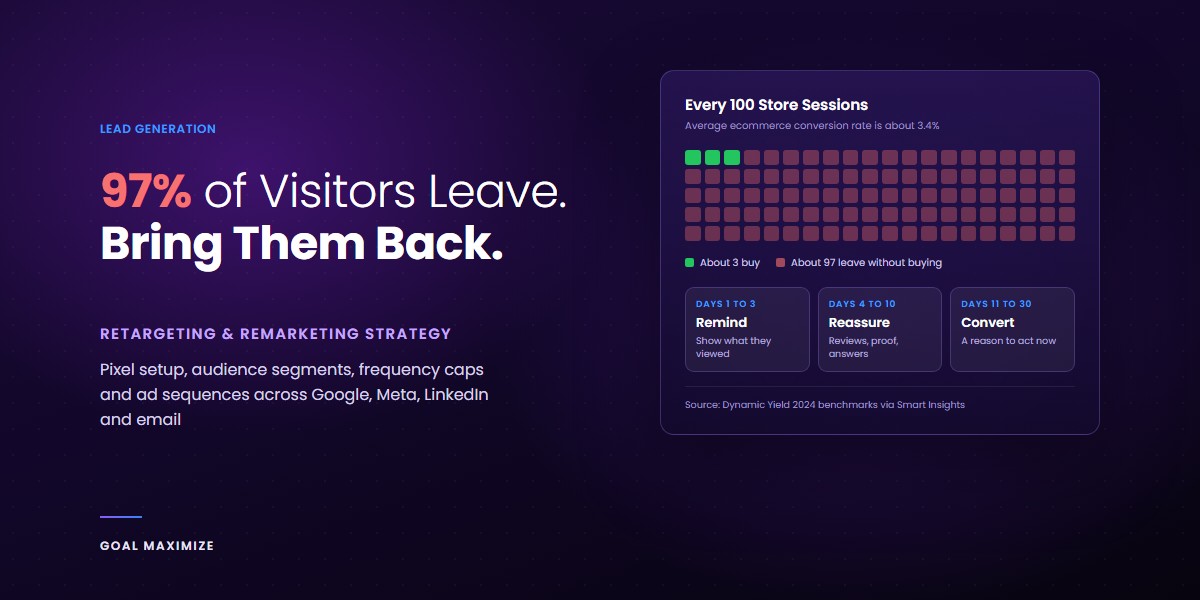
Most people who visit your website leave without buying. Not because your offer is bad, but because they weren’t ready yet. They were comparing prices, checking reviews, or reading on their phone in a queue somewhere.
The numbers make the point. Dynamic Yield’s 2024 benchmark data, reported by Smart Insights, puts the average ecommerce conversion rate at about 3.4%. That means roughly 97 out of every 100 sessions end with no order. Even people who add something to their cart mostly walk away: the Baymard Institute puts the average cart abandonment rate at 70.22%, based on 50 studies.
A good retargeting remarketing strategy is how you get a second chance with those people. This guide covers pixel setup, audience segments, and campaigns on Google, Meta, LinkedIn and email that don’t waste budget or annoy anyone. It’s part of our lead generation playbook, which explains how all the pieces of a working pipeline fit together.
Retargeting vs Remarketing: Is There a Difference?
In practice, people use the 2 words for the same thing. Strictly, retargeting ads follow people who visited your site, while remarketing campaigns reach people whose contact details you already have, mostly by email. Google muddies it by calling its ad product “remarketing”. The goal is the same either way: reach people who already know you, with a message that fits what they did last.
How Retargeting Works
There are 2 main types of retargeting, and most good campaigns use both.
- Pixel-based retargeting. A small piece of code on your site (a “pixel” or “tag”) records that a browser visited a page. The ad platform adds that visitor to an audience, and your ads can then follow them on that platform. It works on anonymous visitors, starts right away and scales with your traffic.
- List-based retargeting. You upload a list of emails or phone numbers, such as leads or past customers, and the platform matches them to user accounts. It’s more precise because you choose exactly who is on the list, but match rates are never 100%.
Pixels catch the 97% who left without giving you anything. Lists work the leads who haven’t bought yet.
Step 1: Set Up Your Pixels Properly
Every retargeting campaign depends on clean tracking. If the pixel misfires, every audience built on it is wrong too.
- Google: install the Google tag (directly or through Google Tag Manager) and link Google Ads to GA4 so you can build audiences from analytics events.
- Meta: install the Meta Pixel and also set up the Conversions API. The API sends events from your server, so you lose fewer of them to ad blockers and browser privacy settings.
- LinkedIn: add the LinkedIn Insight Tag once, sitewide. A site only needs 1 Insight Tag, so reuse the existing one if it’s already there.
Then track the events that matter, not just page views: product views, add to cart, form starts, pricing page visits and completed purchases or leads. Those events are what you’ll segment on in the next step.
Before you launch, check consent. If you have visitors from the EU, UK or other regions with strict privacy laws, your tags must respect your cookie banner. Our guide to data privacy for digital marketers covers what you need in place.
Step 2: Segment Audiences by Intent
The most common mistake is 1 big “all website visitors” audience with 1 ad for everyone. Someone who skimmed a blog post and someone who left a full cart need very different messages.
Here’s the segmentation we start most clients with:
| Audience | Intent | Suggested window | What to show them |
|---|---|---|---|
| Cart or checkout abandoners | Very high | 1 to 14 days | The exact product, plus the answer to the likely objection (shipping, returns, price) |
| Pricing or demo page visitors | High | 1 to 30 days | Case studies, proof, a clear offer to talk |
| Product or service page visitors | Medium | 1 to 30 days | Benefits, reviews, comparisons |
| Blog readers | Low | 30 to 90 days | A useful lead magnet, not a hard sell |
| Past customers | Known | Based on buying cycle | Refills, upgrades, related products |
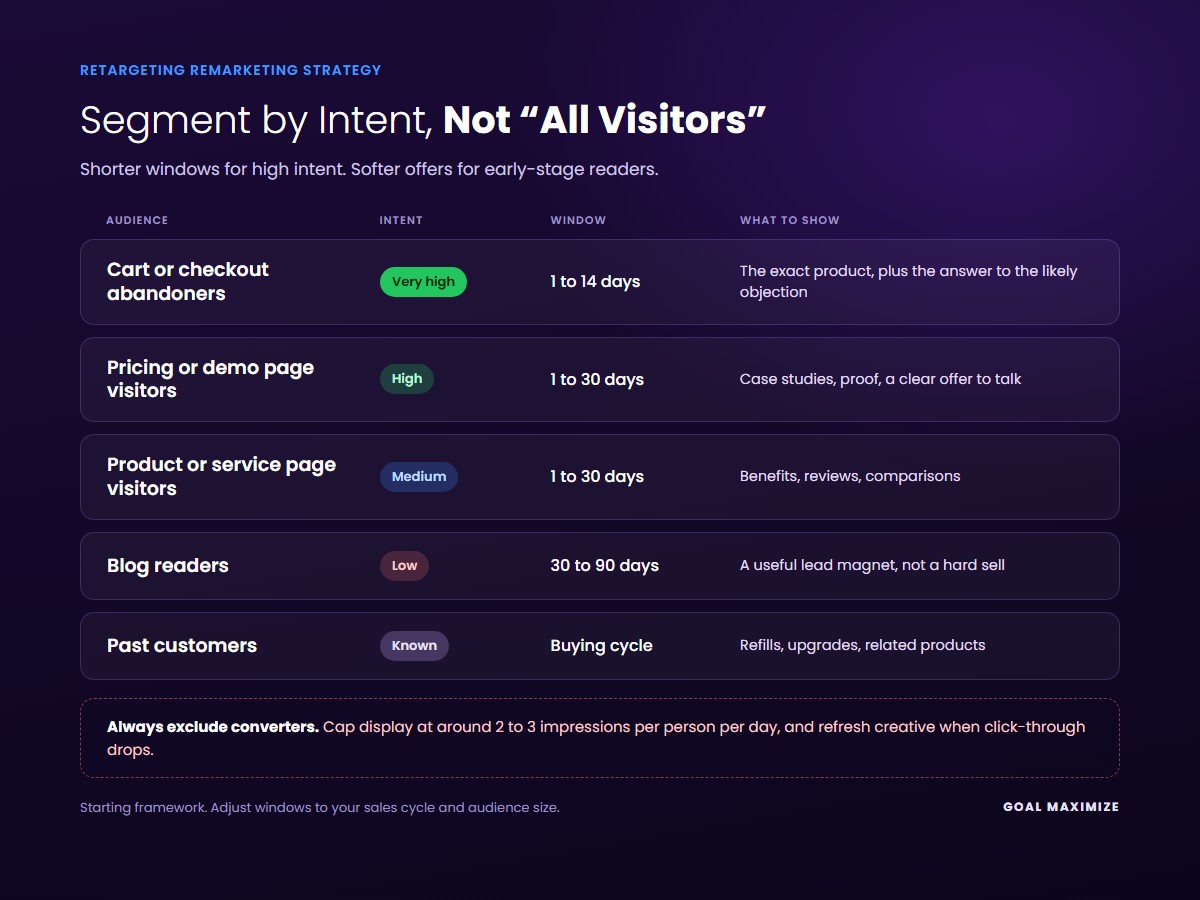
Always exclude people who already converted. Showing a “buy now” ad to someone who bought yesterday wastes money and looks careless.
Watch audience size too. Google Ads needs a list to have at least 100 active users in the last 30 days before it will serve ads to it, and LinkedIn needs at least 300 matched members. If your segments are too small, merge them or lengthen the window.
Step 3: Match Each Channel to the Right Job
Each platform is good at something different, so don’t copy 1 campaign across all 4.
Google Ads remarketing
Google gives you 2 strong options. Display and YouTube remarketing keep your brand visible while people browse other sites. Remarketing lists for search ads (RLSA) are often the bigger win: you bid higher when a past visitor searches for your product again, because that person is already halfway to buying. If you’re weighing paid search against organic, our breakdown of SEO vs PPC and which delivers better ROI explains where paid channels earn their place.
Meta and Facebook retargeting
Meta suits ecommerce and consumer brands best. Dynamic product ads pull the exact items someone viewed from your catalogue, which makes cart recovery almost automatic. You can also retarget people who watched your videos or engaged with your Instagram profile. Website custom audiences can look back up to 180 days.
LinkedIn retargeting
LinkedIn costs more per click, but for B2B it’s often worth it. You can retarget website visitors, lead gen form openers and video viewers, with job title and company data attached. Save it for high-value pages like pricing and case studies.
Email remarketing
Email is your cheapest retargeting channel because you don’t pay per impression. Abandoned cart emails, browse abandonment emails and lead magnet follow-ups all count. It’s no surprise that email is still the highest-ROI channel for most businesses. Get the first email out within an hour while interest is still fresh.
Step 4: Cap Frequency Before You Annoy People
We’ve all been followed around the internet by the same pair of shoes for 3 weeks. It doesn’t sell shoes. It gets the brand blocked.
Frequency capping limits how many times 1 person sees your ads in a set period. There’s no universal right number, but here’s a sensible starting point: around 2 to 3 impressions per person per day on display, and a weekly cap on social. Then watch the data. When click-through rate drops while frequency keeps climbing, your audience is tired of the ad. Refresh the creative or cut the spend.
Give every audience an end date too. If 30 days of ads didn’t bring someone back, 60 more days probably won’t.
Step 5: Tell a Story With Sequential Messaging
Sequential messaging means showing ads in a set order, so each one builds on the last instead of repeating it.
- Days 1 to 3: Remind. Show what they looked at. Keep it simple and direct.
- Days 4 to 10: Reassure. Reviews, case studies, guarantees, answers to common objections.
- Days 11 to 30: Give a reason to act. A limited offer, a free consultation, a bonus or a deadline.
Set this up by splitting your audiences by recency (visited 1 to 3 days ago, 4 to 10 days ago and so on) and assigning a different ad to each. This maps neatly onto the stages of an automated sales funnel, where retargeting is the step that pulls people back from the middle of the funnel to the bottom.
Mistakes That Quietly Waste Your Retargeting Budget
- Sending people back to the page they already left. If the page didn’t convert them the first time, it probably won’t the second time. Fix the page first. These landing page fixes are a good place to start.
- Counting view-through conversions as wins. Retargeting audiences are people who were already interested, so some would have bought anyway. Run a holdout test where possible, keeping a slice of the audience out of the ads, to see the real lift.
- Running the same creative for months. Plan new creative every few weeks for your biggest audiences.
- Ignoring mobile. Most retargeting impressions land on phones. A slow mobile page means paying to send people somewhere bad.
Retargeting brings people back. Your website still has to close them. That’s why we treat retargeting and conversion rate optimization as 1 job, not 2.
Retargeting FAQs
How much traffic do I need for retargeting to work?
Technically, Google needs only 100 active users in a list and LinkedIn needs 300. In practice, a site with a few thousand monthly visitors gives you enough to split audiences by intent. Below that, start with email remarketing and 1 broad ad audience.
Is retargeting still possible with privacy changes?
Yes, but audiences are smaller than they used to be. Server-side tracking (like Meta’s Conversions API), first-party data from email sign-ups, and proper consent setup all help you keep more of your audience.
Which retargeting platform should I start with?
Start with email, because it’s the cheapest. For ads, ecommerce brands should usually start with Meta, and B2B service businesses with Google RLSA or LinkedIn, depending on budget.
Stop Paying for Traffic You Only Get Once
You’ve already paid to get those visitors to your site, through ads, SEO or content. Letting 97% of them disappear for good is the most expensive habit in marketing. A simple retargeting remarketing strategy is enough to start: install your pixels, build a cart or pricing page audience, exclude converters, cap frequency and write 3 ads that tell a story in order.
If you’d rather have it built and managed for you, our PPC advertising team sets up retargeting across Google, Meta and LinkedIn, and our lead generation services connect it to the rest of your funnel. Get in touch and we’ll show you where your lost visitors are going.

**Shalini Thakur** is an SEO Specialist at Goal Maximize with 9+ years of experience in technical SEO, content strategy, and AI-powered search optimization. Specializes in data-driven SEO strategies, website optimization, content development, and adapting websites to the evolving AI-powered search landscape.