
Here’s a number most business owners never work out. A site with 10,000 visitors a month that converts at 2% gets 200 leads. Push that to 3% and you get 300. The ad budget, the SEO work and the traffic all stay the same. That extra 100 leads a month is what conversion rate optimization is for, and it usually costs far less than finding 5,000 more visitors.
Conversion rate optimization (CRO) means finding out why visitors don’t take the action you want, fixing the cause, and proving with data that the fix worked. It is not about button colors. Most of the wins we see come from 4 places: forms, checkout, copy and speed. Running the test is the easy part. Most teams go wrong earlier, when they pick what to test.
This guide is part of our lead generation playbook. The playbook covers how to get people to your site. This post covers what happens after they land.
What Is a Good Conversion Rate? Benchmarks by Industry
Before you change anything, find out where you stand. The best public dataset is the Unbounce Conversion Benchmark Report. Its 2024 edition covered 41,000+ landing pages, 464 million visitors and 57 million conversions.
| Page type or industry | Median conversion rate | Source |
|---|---|---|
| All industries (landing pages) | 6.6% | Unbounce 2024 |
| Entertainment and events | 12.3% | Unbounce 2024 (highest of 9 industries) |
| Legal services | 6.3% | Unbounce 2024 |
| SaaS | 3.8% | Unbounce 2024 (lowest of 9 industries) |
| Ecommerce cart to completed order | About 29.8% | Baymard (70.22% average abandonment) |
A word of caution. These are landing page numbers. Your sitewide rate will almost always be lower, because your homepage and blog pull in people who are still researching. Comparing a sitewide 2% with a 6.6% landing page benchmark and panicking is one of the most common mistakes we see.
Our view: benchmarks tell you if something is badly broken. Beyond that, the number that matters is your own rate from last month. Track it with the same rigor as revenue, using the measures in our guide to digital marketing KPIs every business owner should track.
Step 1: Find the Leak Before You Test Anything
Most CRO programs fail here. Someone reads a case study about a red button and starts testing colors. Begin with where people actually drop off.
Map your funnel in GA4 with a Funnel exploration report: landing page, form start, form submit, thank-you page. The step with the biggest drop is your first project.
Heatmap analysis with Hotjar and Microsoft Clarity
Analytics tells you where people leave. Heatmaps and session recordings show you why. Microsoft Clarity is free and gives you click maps, scroll maps and recordings without traffic caps. Hotjar costs money past its free plan, but adds on-page surveys and feedback widgets, which are useful when you need visitors to tell you what’s wrong in their own words.
Here’s what to look for:
- Dead clicks: people clicking images, icons or headlines that aren’t links. They’re telling you what they expected to be clickable.
- Rage clicks: repeated clicks on 1 element, often a slow button, a broken coupon field or a dropdown that won’t open on mobile.
- The scroll drop: the point where half your visitors stop scrolling. If your only CTA sits below it, half your traffic never sees the offer.
- Form abandoners: filter recordings to sessions that started the form and didn’t submit. Watch 20 of them. You’ll usually see the same problem by the 5th.
1 afternoon spent watching 30 recordings will teach you more than a month of debating in meetings. Many problems you’ll spot are basic usability issues, and our post on UI/UX design principles that convert covers how to fix them.
A/B Testing for Conversions: A Method That Doesn’t Lie
An A/B test splits traffic between your current page (the control) and a changed version (the variant), then measures which converts better.
Write a real hypothesis. “Because recordings show most mobile visitors never reach the form, moving it above the fold will increase submissions.” If you can’t fill in the “because” with evidence, you’re guessing.
Do the sample size math before launch. This is the part almost everyone skips, and it decides whether your test means anything.
| Baseline rate | Lift you want to detect | Visitors needed per variant |
|---|---|---|
| 3% | 20% (3% to 3.6%) | About 13,900 |
| 3% | 10% (3% to 3.3%) | About 53,000 |
| 6% | 20% (6% to 7.2%) | About 6,700 |
That table is why we tell small businesses to stop A/B testing button text. If you get 3,000 visitors a month, a test for a 10% lift would need well over 2 years. Test big swings instead: a new offer, a shorter form, a different page structure. Or skip formal testing, make changes backed by your research and compare before and after over a full month.
A few more rules we hold to:
- Run full weeks. Monday visitors behave differently from Saturday visitors. Run at least 2 full weeks, even if the tool calls a winner on day 3. Stopping early because a result looks good is how false winners get shipped.
- Pick 1 primary metric up front. For lead gen, that’s qualified leads, not clicks.
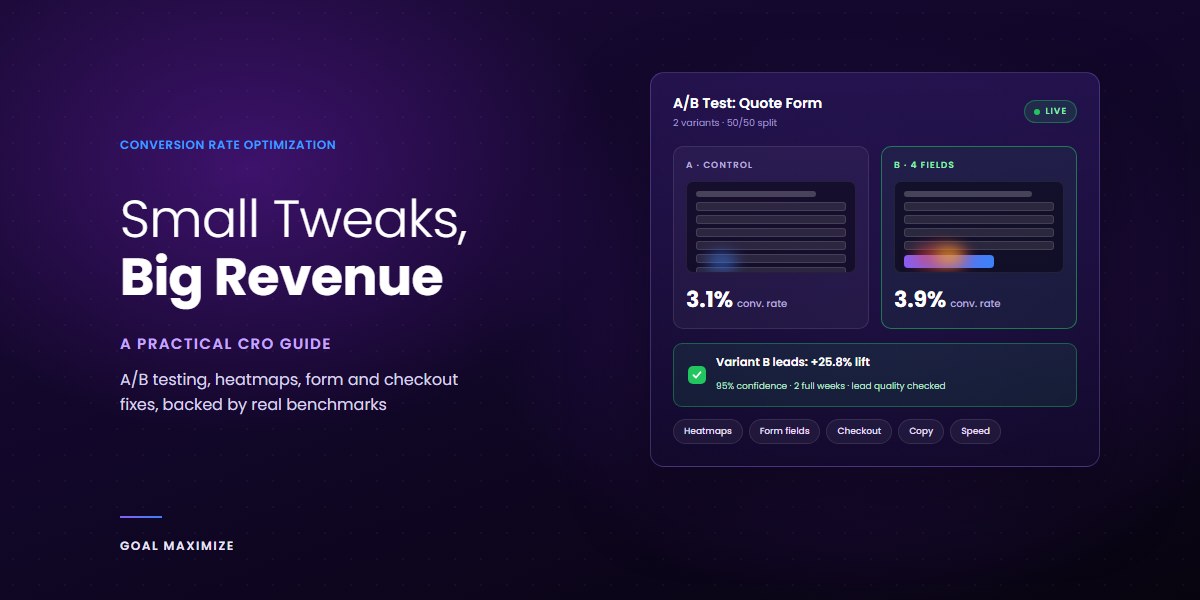
- Check lead quality afterwards. A variant that lifts submissions 25% but fills your CRM with junk is a loss.
- Pick a tool that fits your traffic. Google Optimize shut down in September 2023. VWO, Optimizely, Convert and AB Tasty are the usual replacements, and Nelio A/B Testing works inside WordPress.
Form Optimization: Where Lead Gen Sites Lose the Most
Forms are where intent turns into a lead, and also where most of it dies. Baymard Institute’s research found most checkouts can cut 20% to 60% of the form fields they show. Lead forms are often worse.
- Make every field earn its place. Ask: will sales use this before the first call? If not, collect it later.
- Make phone optional unless you really do call every lead within the hour.
- Split long forms into steps. Open with an easy question (“What do you need help with?”) and ask for contact details last. People finish what they’ve started.
- Fix the mobile basics. Use the right input types so phones show the right keyboard, turn on autocomplete and validate inline instead of after submit.
- Replace “Submit”. “Get my free quote” tells people what they get.
- Answer the worry next to the button. “We reply within 1 business day. No spam.” does more than a badge wall.
Checkout Flow Improvements for Ecommerce
Baymard puts average cart abandonment at 70.22%, based on 49 studies. Some of that is people browsing and comparing prices, and you won’t win those back. A big share is fixable, though. In Baymard’s yearly surveys, unexpected extra costs top the list every time, followed by forced account creation, long checkouts and not trusting the site with card details.
- Show shipping costs on the product page, or run a free-shipping threshold banner sitewide.
- Make guest checkout the default. Offer an account after the order is placed, with the details already filled in.
- Add express wallets like Apple Pay, Google Pay and PayPal, plus local options your buyers expect, such as UPI in India.
- Use address autocomplete and hide “Company” and “Address line 2” behind a small link.
- Put security and return policy reassurance right at the payment step, where doubt peaks.
- Send a 3-email abandoned cart sequence. Our breakdown of email marketing ROI shows why this is usually the highest-return automation a store can run.
If you’re building or rebuilding a store, our ecommerce website development checklist covers checkout setup before launch, which is cheaper than fixing it after.
Copy Testing: Words Usually Beat Design
In our experience, rewriting a headline moves conversions more often than redesigning a page, and it costs a fraction of the price. Every visitor reads the headline. Far fewer notice your gradient.
- Test the headline first. It should say what you do, who it’s for and what changes for them.
- Match the ad. If the ad promises a free SEO audit, the headline says free SEO audit. Paid visitors bounce fast when the page doesn’t match, as we explain in SEO vs PPC.
- Make proof specific. A testimonial that names a result and a timeframe beats 5 stars and “great team!”
- Change 1 message at a time. Keep the design the same so you know what caused the result.
For page structure, from hero to CTA placement, see 12 landing page fixes that doubled conversions. It pairs well with the testing method above.
Speed Is a Conversion Lever, Not Just an SEO One
The Milliseconds Make Millions study by Deloitte and Google found that a 0.1 second improvement in mobile site speed lifted retail conversions by 8.4% and travel conversions by 10.1%. We dig into the revenue side in how fast-loading websites drive more sales.
Here’s the irony nobody mentions: CRO tools can slow your site down. Testing scripts with anti-flicker snippets hide the page until the variant loads. Load heatmap and testing tags asynchronously, remove old experiments and keep an eye on your Core Web Vitals while tests run. Most of your traffic is on phones, so check speed there first, which is the case we make in mobile-first web design.
CRO Best Practices: Prioritize, Then Ship
You’ll end your research with 30 ideas and time for 3. Score each one from 1 to 10 on Impact, Confidence and Ease (the ICE model), add them up and work from the top.
| Idea | Impact | Confidence | Ease | Score |
|---|---|---|---|---|
| Cut quote form from 9 fields to 4 | 7 | 8 | 9 | 24 |
| Rewrite hero headline to match ad copy | 8 | 7 | 8 | 23 |
| Add express checkout wallets | 8 | 8 | 5 | 21 |
| Redesign the homepage | 6 | 4 | 2 | 12 |
One rule saves a lot of wasted tests: fix bugs, test opinions. A broken mobile dropdown doesn’t need an A/B test. Fix it today. Save testing for changes where reasonable people disagree.
A simple first month looks like this:
- Week 1: install Clarity, set up GA4 funnel steps and record your baseline rate.
- Week 2: watch recordings, review heatmaps and list every problem you find.
- Week 3: fix the obvious bugs and launch 1 test on your top ICE idea.
- Week 4: let the test run, check lead quality and plan the next round.
Turn the Traffic You Already Have Into Revenue
CRO compounds. A 20% lift on your form improves every channel feeding it: SEO, ads, email and social. That’s why we treat it as the first step of growth, not a cleanup job once the budget runs dry.
If you’d rather have a team find the leaks and run the tests for you, our sales and lead generation services include CRO audits, form and funnel rebuilds and ongoing testing. When the problem is the page itself, our UI/UX web design team rebuilds it around how your visitors actually behave. Book a free consultation and we’ll show you where your site is losing conversions.

**Shalini Thakur** is an SEO Specialist at Goal Maximize with 9+ years of experience in technical SEO, content strategy, and AI-powered search optimization. Specializes in data-driven SEO strategies, website optimization, content development, and adapting websites to the evolving AI-powered search landscape.